Getting started
Please read the Chapter “Security Considerations” carefully before first use!
Connecting to the device
Power supply
Please check the hardware manual for your Edge Gateway model for power supply. Different hardware versions may use different voltages, connectors or pinouts. Connector for one hardware model, even if physically matching connector from other hardware model may be incompatible!
Access via ethernet using SSH
Connect your computer to the Edge Gateway’s LAN1 port using an ethernet cable
In factory default settings the Edge Gateway’s LAN1 is set to 192.168.2.1/24
Configure your computer’s LAN port with an IP-configuration from 192.168.2.0/24 network (for example 192.168.2.2/24)
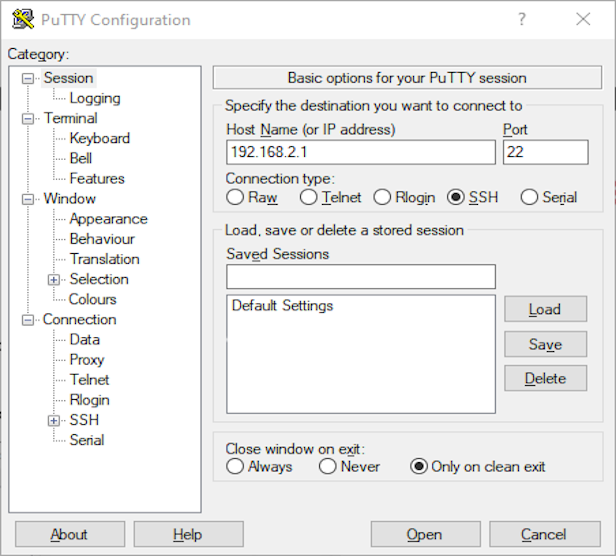
Establish a connection using a terminal program (e.g. PuTTY) to 192.168.2.1 with port 22(SSH) Login with username “admin” and password “123456”
Change password according to prompts
For security reasons it is crucial to perform first SSH connection using either direct cable connection between your computer and EG, or within secure network in which it impossible for the attacker to perform man in the middle attack. During first connection EG will advertise to SSH client (e.g. PuTTY) its public key. Users shall ensure that during any future connections exactly the same key is being shown to their SSH client, otherwise it is possible there is man in the middle attack in progress.
Access via COM-port using serial CLI
In factory default settings the CLI is accessible via COM1 on the EdgeGateway
Connect your computer’s COM port to EdgeGateway’s COM1 using a RS232 null modem cable
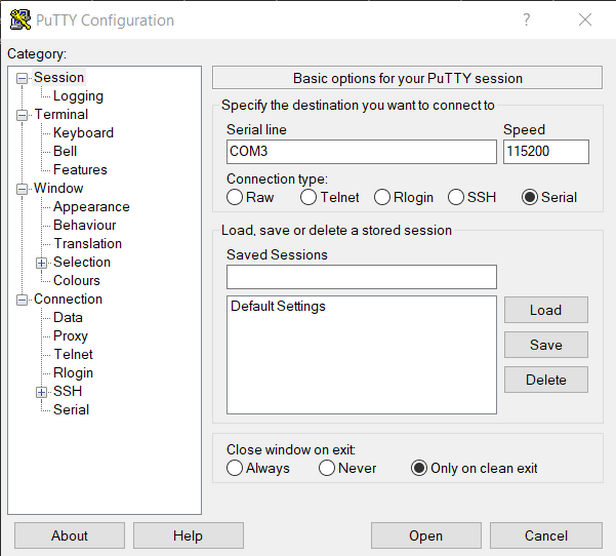
Establish a connection using a terminal program (e.g. PuTTY) with your local COM-port and baud rate of 115200
Login with username “admin” and password “123456”
Change password according to prompts