CLI Commands
Network management
Manage network.
Configure and check network related settings except firewall and ovpn.
This command has following subcommands:
  cellular              Manage cellular interface.
  dhcp                  Set dhcp on network interface.
  dhcp-server           Manage DHCP server.
  dns                   Manipulate EG system DNS settings.
  get-config            Save network configuration in a file (default is...
  ids                   Enable/disable IDS on a given interface.
  ignore-default-route  Enable/disable deafult route from DHCP.
  promiscous-mode       Enable/disable promiscous mode on a given interface.
  set-config            Set network configuration from a json file.
  show                  Show network configuration.
  static-ip             Set static ip for network interface.
  static-routing        Configure static routing.
  status                Show current network status.
  vlan                  Add or remove vlan.
  wifi                  Manage wifi interface.
cellular
Manage cellular interface.
This command has following subcommands:
  checklist  Run checks to fix cellular configuration.
  configure  Add configuration on the device for cellular modem.
  set        Turn on/off cellular modem.
  status
Detailed description of named arguments:
-h, --help Show this message and exit.
Examples:
to enable cellular1 interface
nm cellular set 1 on
to disable cellular2 interface
nm cellular set 2 off
checklist
Run checks to fix cellular configuration.
Gather cellular state information.
Synopsis:
nm cellular checklist [OPTIONS]
Detailed description of named arguments:
-h, --help Show this message and exit.
configure
Add configuration on the device for cellular modem. Configures cellular
connection parameters. Any previous configuration, will be removed, hence
all of the parameters with non-default values should be provided each time
this command is executed (otherwise default values will replace previously
configured non-default ones). After configuration is done it can be checked
with show, or exported with get-config.
Synopsis:
nm cellular configure [OPTIONS] INTERFACE
Detailed description of named arguments:
  -a, --apn TEXT            APN name  [required]
  -p, --pin PIN             SIM card PIN, if not given means no PIN is
                            configured on SIM card. PIN can only contain
                            digits. To remove the PIN from the configuration,
                            omit the "--pin" argument.
  -A, --access-number TEXT  Phone number of APN.  [default: *99***1#]
  -u, --user TEXT           User name for APN
  -P, --password TEXT       Password for APN.
  -f, --force_pap
  -m, --mtu INTEGER         MTU value for cellular connection. 0 for auto.
  -h, --help                Show this message and exit.
Examples:
configure basic authentication using APN named ‘internet’ without PIN nor user/password authentication for cellular1 interface.
nm cellular configure 1 --apn internet
configure authentication based on username ‘USER’ and password ‘PASSWORD’ with apn named ‘welo.vzwent’ but without PIN for SIM card for cellular2 interface
nm cellular configure 2 --user USER --password PASSWORD --apn welo.vzwent
set
Turn on/off cellular modem.
Use mode on to enable connection on mobile network interface. The
connection should be configured beforehand with cellular-configure
command. Use mode off to disconnect mobile network interface.
Synopsis:
nm cellular set [OPTIONS] INTERFACE {on|off}
Detailed description of named arguments:
-h, --help Show this message and exit.
status
Synopsis:
nm cellular status [OPTIONS] INTERFACE
Detailed description of named arguments:
-h, --help Show this message and exit.
dhcp
Set dhcp on network interface.
Causes given network interface to use DHCP for obtaning network
configuration. Any static configuration will be forgotten. First DHCP
request will be sent immediately. Command will wait up to 8 seconds for
connection to be up. No error reporting is performed — always verify
connection status if you want to be sure DHCP worked as expected (e.g. by
executing nm show).
Synopsis:
nm dhcp [OPTIONS]
Detailed description of named arguments:
  -n, --name []  Network interface name.  [required]
  -h, --help     Show this message and exit.
Examples:
use DHCP for lan2
nm dhcp --name lan2
dhcp-server
Manage DHCP server.
This command has following subcommands:
  config   Configure the DHCP Server.
  disable  Disable DHCP Server on a given interface.
  enable   Enable DHCP Server on a given interface.
  list     List DHCP Server leases.
  show     Show DHCP Server configuration.
Detailed description of named arguments:
-h, --help Show this message and exit.
config
Configure the DHCP Server.
Use this command to configure and activate DHCP Server on a single interface.
Synopsis:
nm dhcp-server config [OPTIONS] {}
Detailed description of named arguments:
  -r, --ip-range TEXT       IP range - two IP addresses seperated by '-' (eg
                            192.168.2.10-192.168.2.100).  [required]
  -l, --lease-time INTEGER  Lease time in seconds.  [default: 3600]
  -d, --dns TEXT            DNS Server(s) to be provided to the client
                            seperated by ',' (eg 8.8.8.8,1.1.1.1).
  -g, --gateway TEXT        Gateway to be provided to the client (eg
                            192.168.2.1).
  -h, --help                Show this message and exit.
disable
Disable DHCP Server on a given interface.
Synopsis:
nm dhcp-server disable [OPTIONS] {}
Detailed description of named arguments:
-h, --help Show this message and exit.
enable
Enable DHCP Server on a given interface.
Synopsis:
nm dhcp-server enable [OPTIONS] {}
Detailed description of named arguments:
-h, --help Show this message and exit.
list
List DHCP Server leases.
Synopsis:
nm dhcp-server list [OPTIONS]
Detailed description of named arguments:
-h, --help Show this message and exit.
show
Show DHCP Server configuration.
Synopsis:
nm dhcp-server show [OPTIONS]
Detailed description of named arguments:
-h, --help Show this message and exit.
dns
Manipulate EG system DNS settings.
Add and remove DNS servers to the network configuration which will be used with priority. DNS entries set in resolved.conf override those from DHCP or manual. Ensures consistent, central DNS configuration for all interfaces.
This command has following subcommands:
  add                  Add a DNS Server.
  delete               Remove the specified DNS Server.
  override-nic-config  Enable or disable system DNS stub listener.
  show                 Show the currently configured DNS Servers.
Detailed description of named arguments:
-h, --help Show this message and exit.
add
Add a DNS Server.
Synopsis:
nm dns add [OPTIONS] IP_ADDRESS
Detailed description of named arguments:
-h, --help Show this message and exit.
delete
Remove the specified DNS Server.
Synopsis:
nm dns delete [OPTIONS] IP_ADDRESS
Detailed description of named arguments:
-h, --help Show this message and exit.
override-nic-config
Enable or disable system DNS stub listener.
Synopsis:
nm dns override-nic-config [OPTIONS] {enable|disable}
Detailed description of named arguments:
-h, --help Show this message and exit.
show
Show the currently configured DNS Servers.
Synopsis:
nm dns show [OPTIONS]
Detailed description of named arguments:
-h, --help Show this message and exit.
get-config
Save network configuration in a file (default is ‘network_config.json’)
Stores whole network related config for e.g. backup purposes into file
network_config.json. Commands show, get-config and status are related
to checking network configuration. The
difference is on their focus. show focuses
on showing currently configured values to human. get-config focuses on
whole configuration backup. status focues on current actual values used by
system and includes also things that are not configurable (like loopback
interface).
Synopsis:
nm get-config [OPTIONS]
Detailed description of named arguments:
  -f, --filename, --file PATH  Path of the output file.  [default:
                               network_config.json]
  -h, --help                   Show this message and exit.
Examples:
the only way to call this command
nm get-config
ids
Enable/disable IDS on a given interface.
Synopsis:
nm ids [OPTIONS] INTERFACE {enable|disable}
Detailed description of named arguments:
-h, --help Show this message and exit.
Examples:
turn on IDS on lan1
nm ids lan1 enable
turn off IDS on lan2
nm ids lan2 disable
ignore-default-route
Enable/disable deafult route from DHCP.
Allows to ignore default route provided by DHCP (this may be required in case another default route is preferred).
Synopsis:
nm ignore-default-route [OPTIONS]
Detailed description of named arguments:
  -n, --name []         Network interface name.  [required]
  -i, --ignore BOOLEAN  Ignore route from DHCP.  [required]
  -h, --help            Show this message and exit.
Examples:
default route provided by DHCP on lan2 will be ignored
nm ignore-default-route --name lan2 -i yes
default route provided by DHCP on lan1 will be added to routing table
nm ignore-default-route -n lan1 --ignore no
promiscous-mode
Enable/disable promiscous mode on a given interface.
Synopsis:
nm promiscous-mode [OPTIONS] INTERFACE {on|off}
Detailed description of named arguments:
-h, --help Show this message and exit.
Examples:
turn on promiscous mode on lan1
nm promiscous-mode lan1 on
turn off promiscous mode on lan2
nm promiscous-mode lan2 off
set-config
Set network configuration from a json file.
Replaces whole network configuration of EG with the one provided by json file. The file could have been generated on same or another device.
Synopsis:
nm set-config [OPTIONS]
Detailed description of named arguments:
  -f, --filename, --file PATH  Path of the configuration file. Allowed
                               extensions: .json.  [required]
  --unconditionally            "Prevent connectivity checking after executing
                               this command (without this option user may be
                               asked to confirm that after command execution
                               he has not lost connection to the device,
                               without such confirmation command would be
                               rolled back.)
  -h, --help                   Show this message and exit.
Examples:
restore configuration from file ‘network_config.json’
nm set-config --filename file-network_config.json
Example config file:
{
    "network": {
        "cellular1": {
            "access_number": "*99***1#",
            "apn": "",
            "password": "",
            "pin": "",
            "state": "off",
            "username": ""
        },
        "lan2": {
            "dhcp": true,
            "ignore_default_route": false
        },
        "lan1": {
            "dhcp": false,
            "ip": [
                "192.168.2.1"
            ],
            "subnet": [
                "24"
            ],
            "gateway": null,
            "dns": null
        }
    },
    "static_routing": {
        "enabled": false,
        "selected": "disabled",
        "saved": {
            "disabled": {}
        },
        "edited": {}
    }
}
show
Show network configuration.
Print network related configurable values of EG to console. In case of
configuration which may result in dynamically changing values it also shows
them at the moment when command is executed. Commands show, get-config
and status are related to checking network
configuration. The difference is on their focus. show focuses
on showing currently configured values to human. get-config focuses on
whole configuration backup. status focues on current actual values used by
system and includes also things that are not configurable (like loopback
interface).
Synopsis:
nm show [OPTIONS]
Detailed description of named arguments:
-h, --help Show this message and exit.
Examples:
the only way to call this command
nm show
static-ip
Set static ip for network interface.
Allows to configure static IP addresses on given network interface. Replaces any previous configuration of interface (for example to remove gateway execute this command with same –ip parameter as currently set, but without –gateway parameter).
Synopsis:
nm static-ip [OPTIONS]
Detailed description of named arguments:
  -n, --name []     Network interface name.  [required]
  --ip TEXT         IP address.  [required]
  --mtu TEXT        MTU.
  --gateway TEXT    Gateway.  [default: ""]
  --subnet INTEGER  Subnet mask (number of bits, so use 24 instead of
                    255.255.255.0).  [required]
  --dns TEXT        DNS to be used when interface is up (if not given, DNS
                    will not be associated with this interface being up and
                    set to null). You can also add multiple DNS servers at
                    once (comma separated).  [default: ""]
  -h, --help        Show this message and exit.
Examples:
configure static ip 10.0.0.1/8 on lan1 without gateway!
nm static-ip --name lan1 --ip 10.0.0.1 --subnet 8
configure static ip 192.168.1.2/24 with gateway 192.168.1.1
nm static-ip --name lan2 --ip 192.168.1.2 --gateway 192.168.1.1 --subnet 24
static-routing
Configure static routing.
Manages static routing rules, both global and interface specific. Because routing rules can become quite complicated and to allow quick changes of configuration routing rules are stored in presets.
This command has following subcommands:
  add            Add new routing roule to edited preset.
  disable        Disable routing rules added by selected preset.
  enable         Enable routing rules in selected preset.
  order          Change order of two elements.
  preset-create  Create new preset in being_edited state.
  preset-delete  Delete preset currently being_edited',
  preset-edit    Mark saved preset as being_edited (allows to change its...
  preset-list    List existing presets (both saved and being_edited).
  preset-print   Print contents of preset(s) (whole or just a part)
  preset-save    Mark preset being_edited as saved.
  preset-select  Select saved preset for use.
  print          Print contents of preset being edited (whole or just a...
  remove         Remove rule from global or interface config in edited...
Detailed description of named arguments:
-h, --help Show this message and exit.
Examples:
enables static routing rules stored in currently selected preset
nm static-routing enable
add route to 192.168.0.0/24 via lan1 device
nm static-routing add -a 192.168.0.0 -s 24 -d lan1
change order of rules for lan1 device in edited preset
nm static-routing order -i 1 -I 2 -c lan1
remove rule from lan1 device in edited preset
nm static-routing remove -i 1 -c lan1
add
Add new routing roule to edited preset.
Synopsis:
nm static-routing add [OPTIONS]
Detailed description of named arguments:
  -m, --metric INTEGER            Mettric of route.  [default: 100]
  -a, --network_address TEXT      Destination network address, eg.
                                  192.168.0.1.  [required]
  -s, --subnet TEXT               Destination network subnet, eg. 24.
                                  [required]
  -v, --via TEXT                  Gateway address. Routing means that (almost)
                                  unmodified IP packet is sent over selected
                                  physical link within physical packet
                                  addressed to gateway --- therefore gateway
                                  must be directly reachable using physical
                                  (e.g. MAC for Ethernet) address on given
                                  interface --- this is by default ensured by
                                  kernel by refusing to add route if gateway
                                  address is not in subnet configured on given
                                  interface. Note that if the gateway address
                                  is same as one of configured ip addresses of
                                  EG own interfaces the --bind option will be
                                  implied for this rule)
  -d, --dev TEXT                  Device name (note that if this option is
                                  given --bind is implied too), devices
                                  available in system {'lo', 'eth0'}
  -t, --type [nat|local|unicast|broadcast|multicast|blackhole|unreachable|throw|prohibit]
                                  Type of route, defaults to 'unicast'
                                  [default: unicast]
  -b, --bind TEXT                 Bind route to specific interface. If rule is
                                  bound to a specific interface system will
                                  automatically add or remove this rule
                                  depending on the interface status. Note that
                                  even if this option is not given manually it
                                  may be implied based on --dev or --via
                                  options. Rules not bound to specific
                                  interfaces are global and will be applied
                                  only on EG startup or full reload of all
                                  static routes.
  -S, --scope [link|host|global]  Select rule scope.
  -n, --name TEXT                 Name of the preset being_edited which will
                                  be affected. Shell glob patterns may be used
                                  but shall match exactly one preset. If
                                  skipped this param defaults to '*' and
                                  because normally only one preset is being
                                  edited, so this argument is usally skipped.
  -E, --make-edited, --make_edited
                                  Mark saved preset as being edited one before
                                  performing other actions, giving this option
                                  is the same as if separate command `preset-
                                  edit` was executed by the user just before
                                  this command --- it may fail if preset is
                                  already being edited, or if another user
                                  tried to make preset edited at the same time
  -h, --help                      Show this message and exit.
disable
Disable routing rules added by selected preset.
Synopsis:
nm static-routing disable [OPTIONS]
Detailed description of named arguments:
-h, --help Show this message and exit.
enable
Enable routing rules in selected preset.
Synopsis:
nm static-routing enable [OPTIONS]
Detailed description of named arguments:
-h, --help Show this message and exit.
order
Change order of two elements.
Synopsis:
nm static-routing order [OPTIONS]
Detailed description of named arguments:
  -i, --id INTEGER                ID of first rule.  [required]
  -I, --ID INTEGER                ID of second rule.  [required]
  -n, --name TEXT                 Name of the preset being_edited which will
                                  be affected. Shell glob patterns may be used
                                  but shall match exactly one preset. If
                                  skipped this param defaults to '*' and
                                  because normally only one preset is being
                                  edited, so this argument is usally skipped.
  -E, --make-edited, --make_edited
                                  Mark saved preset as being edited one before
                                  performing other actions, giving this option
                                  is the same as if separate command `preset-
                                  edit` was executed by the user just before
                                  this command --- it may fail if preset is
                                  already being edited, or if another user
                                  tried to make preset edited at the same time
  -c, --config TEXT               Name of config to be affected in currently
                                  edited preset eg `lan1`, `lan2`. Configs are
                                  visible after executing preset_print within
                                  edited preset.', required=True).
  -h, --help                      Show this message and exit.
preset-create
Create new preset in being_edited state.
This command creates a new preset in being_edited state. If --source
option is given the new one will be a copy of the pointed source preset.
This is atomic operation – even if more than one actor can access EG at the
same time they will receive error if they try to perform conflicting atomic
actions. Atomic operations are: preset selection, creating new preset,
saving or making preset edited, reading all presets for backup or restoring
all presets from backup.
Synopsis:
nm static-routing preset-create [OPTIONS] [NAME]
Detailed description of named arguments:
  -s, --source TEXT  Name of preset which shall be source of data for preset
                     being_edited. Shell glob patterns may be used, but
                     exactly one name must match pattern.
  -h, --help         Show this message and exit.
Examples:
create a new preset named better_foo as a copy of good_old_foo
nm static-routing preset-create better_foo --source good_old_foo
preset-delete
Delete preset currently being_edited’,
This command removes existing preset. Before removal preset must be in
being_edited state (see option --make-edited). Removed preset cannot be
restored — use backup instead.
Synopsis:
nm static-routing preset-delete [OPTIONS] [NAME]
Detailed description of named arguments:
  -E, --make-edited, --make_edited
                                  Mark saved preset as being edited one before
                                  performing other actions, giving this option
                                  is the same as if separate command `preset-
                                  edit` was executed by the user just before
                                  this command --- it may fail if preset is
                                  already being edited, or if another user
                                  tried to make preset edited at the same time
  -h, --help                      Show this message and exit.
Examples:
first make preset good_old_foo
*** good_old_foo --make-edited
remove better_foo – this will fail if it is not being_edited
*** better_foo
remove preset which name ends with foo – this will fail if there is no
*** '*foo'
Other examples:
editable (this step may fail, which will prevent removal), then remove it
such preset being edited already
preset-edit
Mark saved preset as being_edited (allows to change its contents, but prevents selecting it as current one).
This command can be applied on saved preset to make it editable. Editable
presets cannot be accidentally selected, and saved presets cannot be
accidentally edited or removed. Because of this allowing to edit selected
preset makes no sense — the whole idea is to prevent potentially
incomplete preset from being selected. To modify selected preset you need to
make a copy of it (see command preset create -s), then make changes, then
save and select the copy. This is atomic operation – even if more than one
actor can access EG at the same time they will receive error if they try to
perform conflicting atomic actions. Atomic operations are: preset selection,
creating new preset, saving or making preset edited, reading all presets for
backup or restoring all presets from backup. Note that after starting the
edition of the preset following editions are not atomic and if more than one
actor performs them at the same time result might be unexpected — it is
user responsibilty to ensure that second actor will not start modifying
preset already in being_edited state before first actor finished his
editions!
Synopsis:
nm static-routing preset-edit [OPTIONS] [NAME]
Detailed description of named arguments:
-h, --help Show this message and exit.
Examples:
make preset good_old_foo editable
nm static-routing preset-edit good_old_foo
preset-list
List existing presets (both saved and being_edited).
Optionally list can be limited to presets matching glob pattern. Useful before executing commands to which concrete name is needed, or to check if preset is saved or being edited.
Synopsis:
nm static-routing preset-list [OPTIONS] [NAME]
Detailed description of named arguments:
-h, --help Show this message and exit.
Examples:
list all presets
nm static-routing preset-list
list presets which names start with an ‘a’ and end with an ‘x’
nm static-routing preset-list 'a*x'
preset-print
Print contents of preset(s) (whole or just a part)
For presets with multipart structure, if only one part is interesting output may be limited by giving the –part argument.
Synopsis:
nm static-routing preset-print [OPTIONS] [NAME]
Detailed description of named arguments:
  -p, --part TEXT  Part (at least container of rules) of preset which shall be
                   printed. Whole preset will printed if not given.
  -h, --help       Show this message and exit.
Examples:
print contents of part foo/bar/baz
nm static-routing preset-print --part foo/bar/baz
print contents of whole foobar preset
in all presets nm static-routing preset-print foobar
preset-save
Mark preset being_edited as saved.
This command can be applied on being_edited preset to make it saved. Optionally a new name can given given to the preset during this operation. Editable presets cannot be accidentally selected, and saved presets cannot be accidentally edited or removed. This is atomic operation – even if more than one actor can access EG at the same time they will receive error if they try to perform conflicting atomic actions. Atomic operations are: preset selection, creating new preset, saving or making preset edited, reading all presets for backup or restoring all presets from backup.
Synopsis:
nm static-routing preset-save [OPTIONS] [NAME]
Detailed description of named arguments:
  -d, --destination TEXT  Optional name under which currently being_edited
                          preset shall be saved, if not given current name of
                          preset being_edited will be used
  -h, --help              Show this message and exit.
Examples:
assuming only one preset is being edited currently save it
under name new_name
nm static-routing preset-save -d new_name
save preset which name starts with my_ (there must be exactly one such
preset in being edited state, but there may be other being edited presets
whose names start differently
nm static-routing preset-save 'my_*'
save the only being edited preset
nm static-routing preset-save
preset-select
Select saved preset for use.
This command can be applied on saved preset to apply its contents as current configuration of EG. Any previously selected preset will cease to be selected anymore. This operation may require confirmation by the user after it is applied to prevent accidental loss of communication between user and EG. If such confirmation is not received it will be rolled back. If such confirmation is required, then operation starts at the moment of execution and ends at the moment it is rolled back or commited. Selected preset cannot be made editable. This is atomic operation – even if more than one actor can access EG at the same time they will receive error if they try to perform conflicting atomic actions. Atomic operations are: preset selection, creating new preset, saving or making preset edited, reading all presets for backup or restoring all presets from backup.
Synopsis:
nm static-routing preset-select [OPTIONS] [NAME]
Detailed description of named arguments:
  --unconditionally  "Prevent connectivity checking after executing this
                     command (without this option user may be asked to confirm
                     that after command execution he has not lost connection
                     to the device, without such confirmation command would be
                     rolled back.)
  -h, --help         Show this message and exit.
Examples:
select and apply configuration in preset location2_config
nm static-routing preset-select location2_config
print
Print contents of preset being edited (whole or just a part).
Similar to preset_print but intended to print only single currently edited
preset. If there is only one preset being edited name of the preset can be
skipped. If there is more than one preset being edited, name of the preset
must be given and it shall match only one of them. –part argument allows to
limit output, e.g. in case of huge preset.
Synopsis:
nm static-routing print [OPTIONS]
Detailed description of named arguments:
  -n, --name TEXT  Name of the preset being_edited which will be affected.
                   Shell glob patterns may be used but shall match exactly one
                   preset. If skipped this param defaults to '*' and because
                   normally only one preset is being edited, so this argument
                   is usally skipped.
  -p, --part TEXT  Part (at least container of rules) of preset which shall be
                   printed. Whole preset will printed if not given.
  -h, --help       Show this message and exit.
Examples:
print contents of the one and only currently being edited preset
nm static-routing print
remove
Remove rule from global or interface config in edited preset.
Synopsis:
nm static-routing remove [OPTIONS]
Detailed description of named arguments:
  -i, --id INTEGER                ID of route to be deleted in currently
                                  edited preset.  [required]
  -n, --name TEXT                 Name of the preset being_edited which will
                                  be affected. Shell glob patterns may be used
                                  but shall match exactly one preset. If
                                  skipped this param defaults to '*' and
                                  because normally only one preset is being
                                  edited, so this argument is usally skipped.
  -E, --make-edited, --make_edited
                                  Mark saved preset as being edited one before
                                  performing other actions, giving this option
                                  is the same as if separate command `preset-
                                  edit` was executed by the user just before
                                  this command --- it may fail if preset is
                                  already being edited, or if another user
                                  tried to make preset edited at the same time
  -c, --config TEXT               Name of config to be affected in currently
                                  edited preset eg `lan1`, `lan2`. Configs are
                                  visible after executing preset_print within
                                  edited preset.', required=True).
  -h, --help                      Show this message and exit.
status
Show current network status.
Same as executing classic Linux commands ‘ifconfig’ and ‘route’. Commands
show, get-config and status are related to checking
network configuration. The difference is on their focus. show focuses
on showing currently configured values to human. get-config focuses on
whole configuration backup. status focues on current actual values used by
system and includes also things that are not configurable (like loopback
interface).
Synopsis:
nm status [OPTIONS]
Detailed description of named arguments:
-h, --help Show this message and exit.
vlan
Add or remove vlan.
This command has following subcommands:
  add     Add a new vlan to existing interface.
  remove  Remove vlan from interface.
  show    Show vlans.
Detailed description of named arguments:
-h, --help Show this message and exit.
add
Add a new vlan to existing interface.
Synopsis:
nm vlan add [OPTIONS]
Detailed description of named arguments:
  -i, --interface []    [required]
  -v, --vlan-name TEXT  [required]
  -a, --address TEXT    [required]
  -s, --subnet INTEGER  [required]
  -g, --gateway TEXT
  -m, --metric INTEGER  Metric that should be used for default route
                        (gateway). It applies only if gateway is provided.
                        [default: 101]
  -h, --help            Show this message and exit.
remove
Remove vlan from interface.
Synopsis:
nm vlan remove [OPTIONS] VLAN_NAME
Detailed description of named arguments:
-h, --help Show this message and exit.
show
Show vlans.
Synopsis:
nm vlan show [OPTIONS]
Detailed description of named arguments:
-h, --help Show this message and exit.
wifi
Manage wifi interface.
Manages wifi1 interface. Supported modes are WiFi-Client role and Access Point (AP) role.
This command has following subcommands:
  ap            Manage wifi interface in access point role.
  client        Allows to use wifi interface in client role.
  localization  Configure allowed radio transmission frequencies and powers.
Detailed description of named arguments:
-h, --help Show this message and exit.
Examples:
configure and connect connection profile with AP based on ssid ‘SSID’, key ‘KEY’ with authentication ‘wpa3-sae’ for wifi1 interface
nm wifi client config --ssid SSID --key KEY --authentication wpa3-sae
enable and connect connection profile on wifi1 interface
nm wifi client enable
disable and disconnect connection profile on wifi1 interface
nm wifi client disable
scan for available wifi networks
nm wifi client scan
configure and activate AP with custom settings
nm wifi ap config --ssid MyAP --ip 192.168.17.1 --key mypassword --channel 11 --hidden
enable AP mode with default settings on wifi1
nm wifi ap enable
disable AP mode on wifi1
nm wifi ap disable
ap
Manage wifi interface in access point role.
This command has following subcommands:
  config   Configure parameters of Access Point on wifi1.
  disable  Disable AP mode on wifi1.
  enable   Enable AP mode on wifi1 using saved or default settings.
  show     Show AP configuration.
  status   Show AP status.
Detailed description of named arguments:
-h, --help Show this message and exit.
config
Configure parameters of Access Point on wifi1.
Connection state will not be affected, although if AP was active it might be temporarily brought down to reapply parameters, which may break any existing connections of clients. In case change of IP config of wifi interface change DHCP config may also need to be changed, and any existing DHCP leases for wifi clients may be invalidated.
Synopsis:
nm wifi ap config [OPTIONS]
Detailed description of named arguments:
  -s, --ssid TEXT                 SSID for the access point.  [default:
                                  EdgeGateway]
  -k, --key TEXT                  PSK for the access point.
  -a, --authentication [wpa-psk|wpa2-psk|wpa3-sae|wpa2-wpa3]
                                  Authentication method.  [default: wpa2-psk]
  -e, --encryption [ccmp|tkip]    Encryption mode CCMP and/or TKIP.  [default:
                                  ccmp]
  -c, --channel INTEGER           WiFi channel (1-11).  [default: 6]
  --hidden / --no-hidden          Hide SSID in beacons.  [default: no-hidden]
  -A, --ip TEXT                   IP Address.  [required]
  -S, --subnet INTEGER            Subnet mask (number of bits, so use 24
                                  instead of 255.255.255.0).  [required]
  -h, --help                      Show this message and exit.
disable
Disable AP mode on wifi1.
Synopsis:
nm wifi ap disable [OPTIONS]
Detailed description of named arguments:
-h, --help Show this message and exit.
enable
Enable AP mode on wifi1 using saved or default settings.
Synopsis:
nm wifi ap enable [OPTIONS]
Detailed description of named arguments:
-h, --help Show this message and exit.
show
Show AP configuration.
Synopsis:
nm wifi ap show [OPTIONS]
Detailed description of named arguments:
-h, --help Show this message and exit.
status
Show AP status.
Synopsis:
nm wifi ap status [OPTIONS]
Detailed description of named arguments:
-h, --help Show this message and exit.
client
Allows to use wifi interface in client role.
This command has following subcommands:
  config   Configure connection profile using given details.
  disable  Disable and disconnect configured profile.
  enable   Enable and connect configured profile.
  scan     Scan for available access points.
Detailed description of named arguments:
-h, --help Show this message and exit.
config
Configure connection profile using given details.
Connection state will not be affected, althoguth if connection was up it will be truned off and on again to reapply parameters, which may change IP address and break TCP connections (e.g. ssh session).
Synopsis:
nm wifi client config [OPTIONS]
Detailed description of named arguments:
  -s, --ssid TEXT                 SSID to connect to.  [required]
  -k, --key TEXT                  wpaX-key for the connection.  [required]
  -a, --authentication [wpa-psk|wpa2-psk|wpa3-sae]
                                  Authentication method WPA-PSK / WPA2-PSK /
                                  WPA3-SAE.  [required]
  -e, --encryption [auto|ccmp|tkip]
                                  Encryption mode CCMP and/or TKIP for WPA /
                                  WPA2.  [default: auto]
  -h, --help                      Show this message and exit.
disable
Disable and disconnect configured profile.
Synopsis:
nm wifi client disable [OPTIONS]
Detailed description of named arguments:
-h, --help Show this message and exit.
enable
Enable and connect configured profile.
Synopsis:
nm wifi client enable [OPTIONS]
Detailed description of named arguments:
-h, --help Show this message and exit.
scan
Scan for available access points.
Synopsis:
nm wifi client scan [OPTIONS]
Detailed description of named arguments:
  --rescan [auto|yes|no]  used to either force or disable the scan regardless
                          of how fresh the access point list is  [default:
                          auto]
  -h, --help              Show this message and exit.
localization
Configure allowed radio transmission frequencies and powers.
To adhere to local radio emmision regulations system needs to know where it actually is located and which regulatory domain governs its current transmissions. Owner of device is responsible for proper setting of regulatory domain.
Note that regulatory domain setting works like radio filter — if for example access point in the system is configured to use channel not allowed in configured regulatory domain, the wifi card will not emit anything, which in practice will make AP non-functional.
When regulatory domain is not set (empty string was used as regdom value) to avoid breaking local laws restrictions from all countries will be applied together (so called global regulatory domain) which in practice means only limited number of 2.4GHz band channels in low power mode will be available for client wifi mode, and AP mode will be totally blocked.
This command has following subcommands:
  set   Set wifi localization to one from a list of available regulator...
  show  Show current wifi localization (regulatory domain).
Detailed description of named arguments:
-h, --help Show this message and exit.
set
Set wifi localization to one from a list of available regulator domains.
Note that if new regulatory domain is not allowing radio channel configured for AP, the AP will cease to function without raising any errors.
Synopsis:
nm wifi localization set [OPTIONS] {DE|PL|BE}
Detailed description of named arguments:
-h, --help Show this message and exit.
Examples:
configure Germany as current regulatory domain
nm wifi localization set DE
show
Show current wifi localization (regulatory domain).
Synopsis:
nm wifi localization show [OPTIONS]
Detailed description of named arguments:
-h, --help Show this message and exit.
Device
Device configuration command line interface.
This command has following subcommands:
  azure               Manage Azure IoT Edge daemon configuration.
  datetime            Configure date and time settings.
  erase               Remove data from persistent storage.
  get-config          Get configuration and store in a file.
  get-logs            Prepare archive with logs.
  hostname            Set device hostname.
  issue               Manage banner shown before login.
  local-console       Manage linux local login.
  localcertstore      Install certificate to local-device Trusted CA Store.
  login-timeout       Set automatic logout after idle timeout.
  logrotate           Manage rotation of log files.
  motd                Manage message of the day (MotD).
  oss                 Print open source software licenses.
  overcommit-memory   Change memory overcommit configuration.
  proxy               Set http/https proxy on system level (for logged in...
  reboot              Reboot device.
  serial              Manage serial ports.
  serialnumber        Get serial number of the device.
  set-config          Sets configuration stored in a file.
  show                Show configuration.
  smartems            Configure SmartEMS management service.
  ssh                 Manage ssh authentication methods and public keys.
  swupdate
  tpm-get             Get registration_id and endorsement key from tpm.
  user                Add, remove or list system users.
  user-password-hash  Get/set user password hashes from /etc/shadow file.
  webgui              Manage WebGUI service.
azure
Manage Azure IoT Edge daemon configuration.
This command has following subcommands:
  clean-keys       Delete empty aziot key files and restart IoT Edge.
  configfile       Manage Azure IoT Edge config.
  decommission     Reset Azure IoT Edge Deployment locally on device.
  get-config       Get Azure configuration and store it in a file.
  set-certificate  Add certificates for Iot Edge.
  set-config       Set Azure configuration.
  set-dps-tpm      Set Azure configuration to use provided scope id and...
  set-dps-x509     Set Azure configuration to use provided scope id,...
  set-option       Set Azure option.
  set-string       Set Azure configuration to use provided connection...
Detailed description of named arguments:
-h, --help Show this message and exit.
Examples:
restore config from file file-azure_config.json
device azure set-config -f file-azure_config.json
set connection string value to Connection String
device azure set-string 'Connection String'
change attestation method to tpm
device azure set-option -t provisioning.attestation -e 'method = "tpm"'
show partial TOML to add topic f.b.z with value being list of two strings
device azure set-option -t f.b.z -e 'l = ["a", "1"]' -d
add topic f.b.z with two entries
device azure set-option -t f.b.z -e 'x = "a"' -e 'y = "b"'
Other examples:
device azure set-dps-x509 -i scope_id_from_iot_hub -p file-cert -k file-private-key
device azure set-certificate -t file-trust-bundle-cert -d file-device-ca-cert -p file-device-ca-private-key
clean-keys
Delete empty aziot key files and restart IoT Edge.
Removes zero-length files from /var/lib/aziot/keyd/keys/ and restarts the
IoT Edge services. Use this when IoT Edge gets stuck due to empty key files.
Synopsis:
device azure clean-keys [OPTIONS]
Detailed description of named arguments:
-h, --help Show this message and exit.
configfile
Manage Azure IoT Edge config.
Get full Azure IoT Edge configuration in toml file or upload preconfigured file. Notice: Exported file contains all settings, but some of them are ignored during import (see the details in description of import).
This command has following subcommands:
  export  Get toml with Azure configuration.
  import  Set Azure config based on given toml file.
Detailed description of named arguments:
-h, --help Show this message and exit.
export
Get toml with Azure configuration.
All entries which are set in Azure config file are present, so user can use for analysis or to test it outside of Edge Gateway.
Synopsis:
device azure configfile export [OPTIONS]
Detailed description of named arguments:
  -f, --filename, --file PATH  Path of the output file.  [default:
                               iotedge.toml]
  -h, --help                   Show this message and exit.
import
Set Azure config based on given toml file.
This method is designed to allow import of Azure config prepared on machine other than Edge Gateway, therefore parameters which are handled specially for Edge Gateway will be ignored. This affects especially hostname and certificates, but also some paths which shall not be modified. Response to this command will inform user if any entries were ignored. To see exactly what was ignored you can run export and compare your input file with reexported contents. If you want to export/import whole Azure configuration between Edge Gateways in simpler way use azure_get_config/azure_set_config commands instead of azure_configfile export/import.
Synopsis:
device azure configfile import [OPTIONS]
Detailed description of named arguments:
  -f, --filename, --file PATH  Path of the configuration file. Allowed
                               extensions: .toml.  [required]
  -h, --help                   Show this message and exit.
decommission
Reset Azure IoT Edge Deployment locally on device.
Resets configuration, deletes keys/certificates and stops IoT Edge.
Synopsis:
device azure decommission [OPTIONS]
Detailed description of named arguments:
-h, --help Show this message and exit.
get-config
Get Azure configuration and store it in a file.
Azure configuration (provisioning data) will be saved to json file.
Synopsis:
device azure get-config [OPTIONS]
Detailed description of named arguments:
  -f, --filename, --file PATH  Path of the output file.  [default:
                               azure_config.json]
  --export-private-keys
  -h, --help                   Show this message and exit.
set-certificate
Add certificates for Iot Edge.
Configures Azure IoT Edge daemon to use provided certificates. Device private key and device CA certificate will be used by device to prove its own identity. Device certificate needs to be signed by trust bundle certificate specific for IoT Edge scenario — public part of this trust bundle certificate is required on each device participating in the scenario too. Note that anyone knowing private key for device CA cert can impersonate this device in given IOT edge scenario.
Synopsis:
device azure set-certificate [OPTIONS]
Detailed description of named arguments:
  -t, --trust-bundle-cert PATH  [required]
  -d, --device-ca-cert PATH     [required]
  -p, --device-ca-pk PATH       [required]
  -h, --help                    Show this message and exit.
set-config
Set Azure configuration.
Restore Azure IoT Edge daemon configuration from a file. This is a permanent change (and will overwrite existing Azure configuration.)
Synopsis:
device azure set-config [OPTIONS]
Detailed description of named arguments:
  -f, --filename, --file PATH  Path of the configuration file. Allowed
                               extensions: .json.  [required]
  -h, --help                   Show this message and exit.
set-dps-tpm
Set Azure configuration to use provided scope id and registration id (TPM mode).
Configures Azure IoT Edge daemon to use TPM module for provisioning. This change is permament (performing configuration backup is up to the user).
Synopsis:
device azure set-dps-tpm [OPTIONS]
Detailed description of named arguments:
  -i, --id-scope TEXT         [required]
  -r, --registration-id TEXT  [required]
  -h, --help                  Show this message and exit.
set-dps-x509
Set Azure configuration to use provided scope id, identity cert and identity pk.
Configures Azure IoT Edge daemon to use X.509 certificates provisioning method. Three arguments are needed for configuration: id scope from IoT Hub, certificate file and private key file. You need read permisions for these files. This change is permament (performing configuration backup is up to the user).
Synopsis:
device azure set-dps-x509 [OPTIONS]
Detailed description of named arguments:
  -k, --identity-pk PATH    [required]
  -p, --identity-cert PATH  [required]
  -i, --id-scope TEXT       [required]
  -h, --help                Show this message and exit.
set-option
Set Azure option.
Change selected entry in IoT Edge TOML config. This option takes a string as
a topic parameter which indicates topic-key in TOML tree to be changed. If
selected topic-key does not exist system will create it in config file but
if it does exist this command will change its value to the one specified in
entry parameter. The entry parameter can be used more than once. When
topic is not given entries are treated as global key-value pairs. This
command does not verify if topic-key name and entry is reasonable and
understood by Azure, but some options are protected and cannot be changed
this way if it would not make sense in Edge Gateway (for example certificate
paths are predefined for Edge Gateways, instead of changing those paths in
Azure config you shall use azure_set_certificate command).
Synopsis:
device azure set-option [OPTIONS]
Detailed description of named arguments:
  -t, --topic TEXT  Topic to setup.
  -e, --entry TEXT  Entry being key-value pair to be set, note that TOML will
                    NOT interpret its type. You need to use proper quotation
                    as in examples above.  [required]
  -d, --dry_run     Do not set option, but show partial TOML which would be
                    added to config.
  -h, --help        Show this message and exit.
set-string
Set Azure configuration to use provided connection string.
Configures Azure IoT Edge daemon to use connection string as a manual provisioning. Remember to use quotation marks for provided string (see examples).
Synopsis:
device azure set-string [OPTIONS] CONNECTION_STRING
Detailed description of named arguments:
-h, --help Show this message and exit.
datetime
Configure date and time settings.
This command has following subcommands:
  disable         Disable NTP service.
  enable          Enable NTP service.
  get-config      Return current ntp and timezone config.
  list-timezones  List all available timezones.
  set-config      Replace ntp config with new one.
  set-ntp         Change NTP configuration.
  set-time        Set device time manually.
  set-timezone    Set timezone.
  show            Show current datetime status.
Detailed description of named arguments:
-h, --help Show this message and exit.
Examples:
display current NTP status
device datetime show
enable NTP service
device datetime enable
disable NTP service
device datetime disable
list supported timezones
device datetime list-timezones
set timezone to Berlin time
device datetime set-timezone Europe/Berlin
set NTP to use provided servers
device datetime set-ntp --server "time1.ntp time2.ntp"
set primary and fallback servers for NTP
device datetime set-ntp --server "time1.ntp time2.ntp" --fallback-servers "time3.ntp time4.ntp"
set minimum and maximum intervals (in seconds) beetwen two synchronization events
device datetime set-ntp --server time1.ntp --interval-minimum 16 --interval-maximum 32
disable
Disable NTP service.
Synopsis:
device datetime disable [OPTIONS]
Detailed description of named arguments:
-h, --help Show this message and exit.
enable
Enable NTP service.
Synopsis:
device datetime enable [OPTIONS]
Detailed description of named arguments:
-h, --help Show this message and exit.
get-config
Return current ntp and timezone config.
Synopsis:
device datetime get-config [OPTIONS]
Detailed description of named arguments:
  -f, --filename, --file PATH  Path of the output file.  [default:
                               datetime_config.json]
  -h, --help                   Show this message and exit.
list-timezones
List all available timezones.
Synopsis:
device datetime list-timezones [OPTIONS]
Detailed description of named arguments:
-h, --help Show this message and exit.
set-config
Replace ntp config with new one.
This will set configuration of ntp and select timezone.
Synopsis:
device datetime set-config [OPTIONS]
Detailed description of named arguments:
  -f, --filename, --file PATH  Path of the configuration file. Allowed
                               extensions: .json.  [required]
  -h, --help                   Show this message and exit.
set-ntp
Change NTP configuration.
Synopsis:
device datetime set-ntp [OPTIONS]
Detailed description of named arguments:
  -s, --server TEXT               IP address or hostname for main NTP servers,
                                  this paramter accept          multiple
                                  servers separated by spaces.          If
                                  multiple servers are provided          thay
                                  have to be enclosed within quotation marks
                                  [required]
  -f, --fallback-servers TEXT     IP address or hostname for fallback server,
                                  this paramter accepts          multiple
                                  servers separated by spaces. Those servers
                                  will be used          to synchronize time
                                  when main NTP server is inaccessible.
                                  Defaults to: time1.google.com
                                  time2.google.com          time3.google.com
                                  time4.google.com. If multiple servers
                                  provided          that have to be enclosed
                                  with quotation mark.  [default:
                                  time1.google.com time2.google.com
                                  time3.google.com time4.google.com]
  -i, --interval-minimum INTEGER RANGE
                                  Minimum time in seconds between two NTP
                                  messages. Defaults to 32          Minimum
                                  value is 16, maximum value is 2048. Minimum
                                  value can not          be grater then
                                  maximum interval.  [default: 32;
                                  16<=x<=2048]
  -I, --interval-maximum INTEGER RANGE
                                  Maximum time in seconds between two NTP
                                  messages.         Defaults to 2048. Minimum
                                  value is 16, maximum value is 2048.
                                  Maximum time can not be lesser than minimum
                                  time.  [default: 2048; 16<=x<=2048]
  -h, --help                      Show this message and exit.
set-time
Set device time manually.
DATE and TIME must be provided as two separate arguments in the format [CC]YY-MM-DD and hh:mm:ss. NTP must be disabled before using this command.
Synopsis:
device datetime set-time [OPTIONS] DATE TIME
Detailed description of named arguments:
-h, --help Show this message and exit.
Examples:
set time to June 15 2025, 14:30:00
device datetime set-time 2025-06-15 14:30:00
same using two-digit year (century assumed 20xx)
device datetime set-time 25-06-15 14:30:00
set-timezone
Set timezone.
Synopsis:
device datetime set-timezone [OPTIONS] {}
Detailed description of named arguments:
-h, --help Show this message and exit.
show
Show current datetime status.
Synopsis:
device datetime show [OPTIONS]
Detailed description of named arguments:
-h, --help Show this message and exit.
erase
Remove data from persistent storage.
Allows to perform full factory reset of device. All files created after installation (including user files, dockers and config for services) will be removed.
Synopsis:
device erase [OPTIONS] {everything}
Detailed description of named arguments:
-h, --help Show this message and exit.
get-config
Get configuration and store in a file.
Whole device configuration will be saved to json file named
device_config.json.
Synopsis:
device get-config [OPTIONS]
Detailed description of named arguments:
  -f, --filename, --file PATH  Path of the output file.  [default:
                               device_config.json]
  --export-private-keys        Governs export of private keys and user
                               password hashes.
  -h, --help                   Show this message and exit.
get-logs
Prepare archive with logs.
Prepares archive logs.zip with currently existing logs.
Synopsis:
device get-logs [OPTIONS]
Detailed description of named arguments:
-h, --help Show this message and exit.
hostname
Set device hostname.
Sets device hostname, this will also set hostname in IoT Edge daemon config. Note that it may brake Azure configuration which could be depending on that name.
Synopsis:
device hostname [OPTIONS] NAME
Detailed description of named arguments:
-h, --help Show this message and exit.
issue
Manage banner shown before login.
This command has following subcommands:
  get  Get current banner shown before login.
  set  Set new banner shown before login.
Detailed description of named arguments:
-h, --help Show this message and exit.
get
Get current banner shown before login.
Synopsis:
device issue get [OPTIONS]
Detailed description of named arguments:
-h, --help Show this message and exit.
set
Set new banner shown before login.
Synopsis:
device issue set [OPTIONS]
Detailed description of named arguments:
  -f, --filename, --file PATH  Path of the configuration file.
  -t, --text TEXT              Set new banner from plain text.
  -h, --help                   Show this message and exit.
local-console
Manage linux local login.
This command has following subcommands:
  get  Check state of local linux console.
  set  Enable/disable login via local console.
Detailed description of named arguments:
-h, --help Show this message and exit.
get
Check state of local linux console.
Synopsis:
device local-console get [OPTIONS]
Detailed description of named arguments:
-h, --help Show this message and exit.
set
Enable/disable login via local console.
This enables or disables linux local console (TTY) *** IMPORTANT - this command, might lock you out.
Synopsis:
device local-console set [OPTIONS]
Detailed description of named arguments:
  -l, --login [enable|disable]    Enable or disable linux local login.
  -s, --syskeys [enable|disable]  Enable or disable Ctrl-Alt-Del, SysRq keys
                                  action. This option enables or disables
                                  SysRq to both consoles: serial (COM1) and
                                  local (TTY)
  -h, --help                      Show this message and exit.
localcertstore
Install certificate to local-device Trusted CA Store.
This command has following subcommands:
install Install new CRT.
Detailed description of named arguments:
-h, --help Show this message and exit.
install
Install new CRT.
Synopsis:
device localcertstore install [OPTIONS]
Detailed description of named arguments:
  -f, --filename, --file PATH  Path of the configuration file.  [required]
  -h, --help                   Show this message and exit.
login-timeout
Set automatic logout after idle timeout.
This will set a system-wide auto-logout policy. Every user, after N-seconds of idle will be logged off.
This command has following subcommands:
  get  Get the value for automatic idle logout.
  set  Set the value for automatic idle logout.
Detailed description of named arguments:
-h, --help Show this message and exit.
get
Get the value for automatic idle logout.
Read All-Users default idle logout time.
Synopsis:
device login-timeout get [OPTIONS]
Detailed description of named arguments:
-h, --help Show this message and exit.
set
Set the value for automatic idle logout.
Configure every user login to be closed after idle time.
Synopsis:
device login-timeout set [OPTIONS]
Detailed description of named arguments:
  -s, --seconds INTEGER  Amount of idle seconds for automatic logout (0 means
                         infinity, values 1 to 9 are rejected)  [required]
  -h, --help             Show this message and exit.
logrotate
Manage rotation of log files.
Changes when log files will be renamed and removed.
This command has following subcommands:
  set   Change config for logrotate service.
  show  Show current config.
Detailed description of named arguments:
-h, --help Show this message and exit.
Examples:
new log file will be created after current grows above 100MB or new day starts, keep only last 7 log files on disk
device logrotate set --size 100 --rotate 7 --period daily
display current logrotate configuration
device logrotate show
set
Change config for logrotate service.
Synopsis:
device logrotate set [OPTIONS]
Detailed description of named arguments:
  -p, --period [hourly|daily|weekly|monthly]
                                  How often log files are rotated.  [required]
  -r, --rotate INTEGER            Logrotate rotates the log files that many
                                  times before removal. If it's set to 0, old
                                  versions are removed rather than rotated.
                                  [required]
  -s, --size INTEGER              Maximum size of the log file in megabytes.
                                  Logrotate rotates the log at selected
                                  period, but when the log file reaches it's
                                  maximum size, logrotate rotates log despite
                                  the period.  [required]
  -h, --help                      Show this message and exit.
show
Show current config.
Synopsis:
device logrotate show [OPTIONS]
Detailed description of named arguments:
-h, --help Show this message and exit.
motd
Manage message of the day (MotD).
This command has following subcommands:
  get  Get message-of-the-day.
  set  Set message-of-the-day.
Detailed description of named arguments:
-h, --help Show this message and exit.
get
Get message-of-the-day.
Get current welcome-banner (MotD), shown after login.
Synopsis:
device motd get [OPTIONS]
Detailed description of named arguments:
-h, --help Show this message and exit.
set
Set message-of-the-day.
Set new welcome-banner (MotD), shown after login.
Synopsis:
device motd set [OPTIONS]
Detailed description of named arguments:
  -f, --filename, --file PATH  Path of the configuration file.
  -t, --text TEXT              Set new MotD from plain text.
  -h, --help                   Show this message and exit.
oss
Print open source software licenses.
Retrieves information about installed packages and their licenses.
Synopsis:
device oss [OPTIONS]
Detailed description of named arguments:
-h, --help Show this message and exit.
overcommit-memory
Change memory overcommit configuration.
This enables or disables overcommitting of the memory. When disabled, the machine will not run programs that would exceed available memory. When enabled, OOM killer might kill programs that it finds suitable to kill.
Synopsis:
device overcommit-memory [OPTIONS] {enable|disable|default|status}
Detailed description of named arguments:
-h, --help Show this message and exit.
proxy
Set http/https proxy on system level (for logged in users shells and for docker).
This command has following subcommands:
  add         Add or overrwrite proxy or proxies.
  delete      Delete proxies.
  get-config  Return current proxy config (except for docker-compose).
  set-config  Replace proxy config with new one.
Detailed description of named arguments:
-h, --help Show this message and exit.
add
Add or overrwrite proxy or proxies.
You may give http and/or https proxy parameters. This command will add them (or overwrite if any is already configured) for azure daemons, docker and shell environment as well as for docker-compose (Note: docker-compose stores its proxy settings in separate physical location and this forces docker- compose proxy to be kept in separate subsection of EG global json config). If you give proxy only for one protocol (http/https) and the other is already configured, this other will not be removed. For individual users’ environments, logging in again is needed to notice configuration change. Immediately after storing new proxy in the configurations response will be sent back to the user and daemons which use proxy (docker and containers) will be restarted. This restart of deamons can take considerable amount of time (and potentially disrupt processing done by containers).
Synopsis:
device proxy add [OPTIONS]
Detailed description of named arguments:
  -p, --http TEXT               set HTTP-Proxy to http://<SERVER>:<PORT> (e.g.
                                http://192.168.123.254:8080 )
  -s, --https TEXT              set HTTPS-Proxy to https://<SERVER>:<PORT>
                                (e.g. https://192.168.123.254:8080 )
  -n, --no-reload, --no_reload  Change configuration, but do not reload it
                                immediately in all daemons. If you give this
                                option new proxy will be used by docker
                                containers after next reboot of the system or
                                next restart of docker subsystem (whichever
                                comes first). To manually enforce restart of
                                docker execute command `docker-config apply`.
  -h, --help                    Show this message and exit.
delete
Delete proxies.
Delete http and/or https proxies.
Synopsis:
device proxy delete [OPTIONS]
Detailed description of named arguments:
  --http      Delete http proxy.
  --https     Delete https proxy.
  -h, --help  Show this message and exit.
get-config
Return current proxy config (except for docker-compose).
This will return partial EG config for proxy only. Note that because docker-
compose stores its proxy settings in separate place you would need to use
command docker-config compose get-config to get partial config containing
proxy of docker-compose.
Synopsis:
device proxy get-config [OPTIONS]
Detailed description of named arguments:
  -f, --filename, --file PATH  Path of the output file.  [default:
                               proxy_config.json]
  -h, --help                   Show this message and exit.
set-config
Replace proxy config with new one.
This will add/remove system and docker daemon proxies to match contents of given config. This will not change docker-compose proxy settings! Docker and containers will be restarted according to boolean entry ‘reload_daemons’ which can optionally be present next to the object proxy_servers in json file used with this command. If that entry is missing its value is assumed to be true.
Synopsis:
device proxy set-config [OPTIONS]
Detailed description of named arguments:
  -f, --filename, --file PATH  Path of the configuration file. Allowed
                               extensions: .json.  [required]
  -h, --help                   Show this message and exit.
reboot
Reboot device.
Synopsis:
device reboot [OPTIONS]
Detailed description of named arguments:
-h, --help Show this message and exit.
serial
Manage serial ports.
This command has following subcommands:
  console     Enable/disable control of EG via serial port.
  get-config  Get configuration of serial devices and stores it in a file.
Detailed description of named arguments:
-h, --help Show this message and exit.
Examples:
after next (and later) reboots console will be active on serial port 1, current state will not be affected
device serial console 1 at-boot on
turn off console on serial port 0 immediately and keep it that way after reboot
device serial console 0 both off
turn on console at serial port 1 immediately, state after reboot will not be affected
device serial console 1 now on
save serial config to file serial_config.json
device serial get-config
console
Enable/disable control of EG via serial port.
By enabling/disabling the console output one can change if (and if yes on which) serial port system will print console output and allow the user to use it with help of serial terminal emulator. Configuration of console output will be exported to global configuration file. Those changes can be permanent or temporary (regarding state after reboot). Hint: Enable or disable SysRq magic key functionality in the local-console settings for syskeys management.
Synopsis:
device serial console [OPTIONS] {} {now|at-boot|both} {on|off}
Detailed description of named arguments:
-h, --help Show this message and exit.
get-config
Get configuration of serial devices and stores it in a file.
Gets configuration of serial ports and store it in a file
serial_config.json (e.g. for backup purposes).
Synopsis:
device serial get-config [OPTIONS]
Detailed description of named arguments:
  -f, --filename, --file PATH  Path of the output file.  [default:
                               serial_config.json]
  -h, --help                   Show this message and exit.
serialnumber
Get serial number of the device.
Serial number of the device will be printed out.
Synopsis:
device serialnumber [OPTIONS]
Detailed description of named arguments:
-h, --help Show this message and exit.
set-config
Sets configuration stored in a file.
Whole device configuration will be restored from a file.
Synopsis:
device set-config [OPTIONS]
Detailed description of named arguments:
  -f, --filename, --file PATH  Path of the configuration file. Allowed
                               extensions: .json.  [required]
  --unconditionally            Prevent connectivity checking after executing
                               this command (without this option user may be
                               asked to confirm that after command execution
                               he has not lost connection to the device,
                               without such confirmation command would be
                               rolled back.)
  -h, --help                   Show this message and exit.
Example JSON file:
{
    "azure": {
        "source": "manual",
        "device_connection_string": "<ADD DEVICE CONNECTION STRING HERE>",
        "hostname": "<ADD HOSTNAME HERE>"
    },
    "serial": {
        "serial0": {
            "console_output": {
                "at_startup": true,
                "currently": true
            }
        },
        "serial1": {
            "console_output": {
                "at_startup": false,
                "currently": false
            }
        }
    },
    "network": {
        "lan2": {
            "dhcp": true,
            "ignore_default_route": false,
            "current_ip": "192.168.1.95",
            "current_subnet": "24",
            "current_gateway": "192.168.1.1",
            "current_dns": "1.1.1.1"
        },
        "lan1": {
            "dhcp": false,
            "ip": [
                "192.168.2.1"
            ],
            "subnet": [
                "24"
            ],
            "gateway": null,
            "dns": null,
            "current_ip": "192.168.2.1",
            "current_subnet": "24",
            "current_gateway": null,
            "current_dns": null
        }
    },
    "static_routing": {
        "enabled": false,
        "selected": "disabled",
        "saved": {
            "disabled": {}
        },
        "edited": {}
    },
    "firewall": {
        "enabled": false,
        "selected": "allow_all",
        "edited": {},
        "saved": {
            "allow_all": {
                "inet": {
                    "filter": {
                        "output": {
                            "policy": "accept"
                        },
                        "input": {
                            "policy": "accept"
                        },
                        "forward": {
                            "policy": "accept"
                        }
                    }
                },
                "ip": {
                    "nat": {
                        "postrouting": {
                            "policy": "accept"
                        },
                        "prerouting": {
                            "policy": "accept"
                        }
                    }
                },
                "notes": "This is the minimum configuration of firewall. This preset cannot be modified or removed.\n\nThis configuration does not drop or alter any packets."
            },
            "disabled": {
                "inet": {
                    "filter": {
                        "output": {
                            "policy": "accept"
                        },
                        "input": {
                            "policy": "accept"
                        },
                        "forward": {
                            "policy": "accept"
                        }
                    }
                },
                "ip": {
                    "nat": {
                        "postrouting": {
                            "policy": "accept"
                        },
                        "prerouting": {
                            "policy": "accept"
                        }
                    }
                },
                "notes": "This preset disables firewall. This preset cannot be modified or removed.\n\nThere is special closure/disable part in this preset which totally flushes out\nfirewall tables. Effect is very similar to allow all, but conceptually the\ndifference is that here we ensure that firewall is really doing nothing\n(theoretically allow a ll could be doing actions like categorizing and counting\npackets).",
                "closure": {
                    "disable": {
                        "contents": "flush ruleset",
                        "notes": "Removes all rules from firewall"
                    }
                }
            },
        }
    },
    "ovpn": {}
}
Set datetime using date binary
It is possbile to set a system time in the device locally using ‘date’ command. Please note that Edge Gateway is configured with NTP enabled in factory default which will overwrite manually set datetime values.
Usage: date [OPTION]... [+FORMAT]
  or:  date [-u|--utc|--universal] [MMDDhhmm[[CC]YY][.ss]]
Display date and time in the given FORMAT.
With -s, or with [MMDDhhmm[[CC]YY][.ss]], set the date and time.
Mandatory arguments to long options are mandatory for short options too.
  -d, --date=STRING          display time described by STRING, not 'now'
      --debug                annotate the parsed date,
                              and warn about questionable usage to stderr
  -f, --file=DATEFILE        like --date; once for each line of DATEFILE
  -I[FMT], --iso-8601[=FMT]  output date/time in ISO 8601 format.
                               FMT='date' for date only (the default),
                               'hours', 'minutes', 'seconds', or 'ns'
                               for date and time to the indicated precision.
                               Example: 2006-08-14T02:34:56-06:00
  --resolution               output the available resolution of timestamps
                               Example: 0.000000001
  -R, --rfc-email            output date and time in RFC 5322 format.
                               Example: Mon, 14 Aug 2006 02:34:56 -0600
      --rfc-3339=FMT         output date/time in RFC 3339 format.
                               FMT='date', 'seconds', or 'ns'
                               for date and time to the indicated precision.
                               Example: 2006-08-14 02:34:56-06:00
  -r, --reference=FILE       display the last modification time of FILE
  -s, --set=STRING           set time described by STRING
  -u, --utc, --universal     print or set Coordinated Universal Time (UTC)
      --help        display this help and exit
      --version     output version information and exit
Example usage:
date -s '1984-01-04 09:33:00'
show
Show configuration.
Whole device configuration will be printed out. Note that this is quite verbose.
Synopsis:
device show [OPTIONS]
Detailed description of named arguments:
  --export-private-keys  Governs export of private keys and user password
                         hashes.
  -h, --help             Show this message and exit.
smartems
Configure SmartEMS management service.
This command has following subcommands:
  certificate  Manage security certificate used by SmartEMS.
  check        Trigger immediate check for new SmartEMS management commands.
  config       Change config for auto update service.
  set-config   Replace current SmartEMS configuration.
  show         Show current config.
Detailed description of named arguments:
-h, --help Show this message and exit.
Examples:
display current configuration
device smartems show
immediately connect to SmartEMS to check for any management commands
device smartems check
configure smartems connection
device smartems config --username user --password pass --url url
configure smartems connection with new api endpoint
device smartems config --username user --password pass --url url --vcc-api-endpoint
certificate
Manage security certificate used by SmartEMS.
This command has following subcommands:
  add     Add a new certificate.
  delete  Remove current certificate.
  show    Display current certificate.
Detailed description of named arguments:
-h, --help Show this message and exit.
Examples:
add self-signed certificate
device smartems certificate add -c file-cert.pem
remove custom certificate
device smartems certificate delete
display content of custom certificate
device smartems certificate show
add
Add a new certificate.
Synopsis:
device smartems certificate add [OPTIONS]
Detailed description of named arguments:
  -c, --certificate PATH  Filename with certificate.  [required]
  -h, --help              Show this message and exit.
delete
Remove current certificate.
Synopsis:
device smartems certificate delete [OPTIONS]
Detailed description of named arguments:
-h, --help Show this message and exit.
show
Display current certificate.
Synopsis:
device smartems certificate show [OPTIONS]
Detailed description of named arguments:
-h, --help Show this message and exit.
check
Trigger immediate check for new SmartEMS management commands.
This command will trigger an immediate connection to the SmartEMS and perform any updates requested by SmartEMS (it may be config and or software update) or provide information requested by SmartEMS (like current configuration). If software update is requested then EG will download package first — depending on connection speed this may consume bigger amount of time. This command times out after five minutes but even in such case download is still being performed in the background. The new firmware package is being stored in /tmp and has .swu extension, so you can check in that directory if it is growing. After firmware is downloaded it will be automatically installed and system will reboot.
Synopsis:
device smartems check [OPTIONS]
Detailed description of named arguments:
-h, --help Show this message and exit.
config
Change config for auto update service.
Synopsis:
device smartems config [OPTIONS]
Detailed description of named arguments:
  -u, --username TEXT             Username for SmartEMS.  [required]
  -p, --password TEXT             Password for SmartEMS.  [required]
  -U, --url TEXT                  URL for SmartEMS. (https is always used)
                                  [required]
  -s, --skip                      Skip checking SSL certificate for SmartEMS.
                                  DANGER! This allows man-in-the-middle
                                  attacks.
  -i, --interval INTEGER          Period between two checks in seconds. 0
                                  means single check on boot only. The minimum
                                  non-zero value is 10s.  [default: 3600]
  --vcc-api-endpoint, --vcc_api_endpoint
                                  If present, this API endpoint will be set -
                                  /api/edgegatewayvcc/configuration.
                                  Otherwise, this one will be used -
                                  /api/edgegateway/configuration. If your
                                  EdgeGateway is connected to VPN CC use this
                                  option.
  -h, --help                      Show this message and exit.
set-config
Replace current SmartEMS configuration.
Synopsis:
device smartems set-config [OPTIONS]
Detailed description of named arguments:
  -f, --filename, --file PATH  Path of the configuration file. Allowed
                               extensions: .json.  [required]
  -h, --help                   Show this message and exit.
show
Show current config.
Synopsis:
device smartems show [OPTIONS]
Detailed description of named arguments:
-h, --help Show this message and exit.
ssh
Manage ssh authentication methods and public keys.
Allows to manage if password and public key based authentication is available for ssh connecitons. At least one method must be allowed. If password based authentication is going to be turned off, then at least admin account must have at least one valid public key present in “~/.ssh/authorized_keys”.
This command has following subcommands:
  add-publickey    Adds a public key from a keypair for selected user to...
  get-config       Return current ssh config.
  list-publickeys  Display content of ~/.ssh/authorized_keys for...
  maxsessions      Specifies the maximum number of open shell, login or...
  maxstartups      Specifies the maximum number of concurrent...
  remove-key       Remove key with given index for currently logged in user.
  set              Change allowed types of ssh authentication.
  set-config       Replace ssh config and user keys with new values.
  show             Show current ssh authentication configuration.
Detailed description of named arguments:
-h, --help Show this message and exit.
Examples:
allow key based authentication but disable password based one
device ssh set --public-key-auth on --password-auth off
disable password auth (leave key based auth in same state as it was before - this command will fail if key based authentication was turned off already)
device ssh set -p off
display current ssh authenctication configration
device ssh show
add-publickey
Adds a public key from a keypair for selected user to authorized_keys.
If you want to update comment to already existing key first you have removed it with remove_key option.
Synopsis:
device ssh add-publickey [OPTIONS]
Detailed description of named arguments:
  -f, --filename, --file PATH  Path of the configuration file.  [required]
  -u, --username TEXT          [default: root]
  -h, --help                   Show this message and exit.
get-config
Return current ssh config.
Synopsis:
device ssh get-config [OPTIONS]
Detailed description of named arguments:
  -f, --filename, --file PATH  Path of the output file.  [default:
                               ssh_config.json]
  -h, --help                   Show this message and exit.
list-publickeys
Display content of ~/.ssh/authorized_keys for currently logged in user.
Synopsis:
device ssh list-publickeys [OPTIONS]
Detailed description of named arguments:
  -u, --username TEXT  [default: root]
  -h, --help           Show this message and exit.
maxsessions
Specifies the maximum number of open shell, login or subsystem (e.g. sftp) sessions permitted per network connection.
Synopsis:
device ssh maxsessions [OPTIONS] SESSIONS
Detailed description of named arguments:
-h, --help Show this message and exit.
maxstartups
Specifies the maximum number of concurrent unauthenticated connections to the SSH daemon.
Synopsis:
device ssh maxstartups [OPTIONS] STARTUPS
Detailed description of named arguments:
-h, --help Show this message and exit.
remove-key
Remove key with given index for currently logged in user.
Synopsis:
device ssh remove-key [OPTIONS]
Detailed description of named arguments:
  -i, --index INTEGER  [required]
  -u, --username TEXT  [default: root]
  -h, --help           Show this message and exit.
set
Change allowed types of ssh authentication.
Synopsis:
device ssh set [OPTIONS]
Detailed description of named arguments:
  -k, --public-key-auth [on|off]
  -p, --password-auth [on|off]
  -h, --help                      Show this message and exit.
set-config
Replace ssh config and user keys with new values.
This will first validate that at least one authentication method is enabled in incoming config, if yes then proceed to replace users ssh public keys. In case of failure for any user, allowed authentication methods will be set as requested but password based authentication will be enabled always in case admin user authorized_keys will be empty, to prevent total lock out from device. Keys of users not listed in the json will not be modified — to remove keys of users they need to be present in json file with empty list of keys. Warning: in case of issues with keys in json file it may cause state where some users have changed keys, and some user have old keys — please analyze failures of this command carefully.
Synopsis:
device ssh set-config [OPTIONS]
Detailed description of named arguments:
  -f, --filename, --file PATH  Path of the configuration file. Allowed
                               extensions: .json.  [required]
  -h, --help                   Show this message and exit.
show
Show current ssh authentication configuration.
Synopsis:
device ssh show [OPTIONS]
Detailed description of named arguments:
-h, --help Show this message and exit.
swupdate
Synopsis:
device swupdate [OPTIONS]
Detailed description of named arguments:
  -f, --filename, --file PATH  Path of the configuration file. Allowed
                               extensions: .swu.  [required]
  -h, --help                   Show this message and exit.
tpm-get
Get registration_id and endorsement key from tpm.
This function will get the endorsement key and registration id from built-in TPM module and print it out. Those keys can be used to provide provisioning configuration for Azure IoT Edge daemon. Note that TPM module may respond slowly.
Synopsis:
device tpm-get [OPTIONS]
Detailed description of named arguments:
-h, --help Show this message and exit.
user
Add, remove or list system users.
Add, remove or list system users. User home directories are created
automatically with paths specific for the group of a user. For the user
group account path to home is /home/ro_users/{usrnm} where {usrnm} is
the username. For the admin group account path to home is
/home/admins/{admnm} where {admnm} is the username.
This command has following subcommands:
  add                  Add system users.
  list                 List system users.
  password-complexity  Manage password complexity enforcement.
  remove               Remove system users.
Detailed description of named arguments:
-h, --help Show this message and exit.
Examples:
adds read only user user_ro with password 12345
device user add -g user -p 12345 -u user_ro
adds admin user
device user add -g admin -p 12345 -u admin
remove user but leave his home directory on disk
device user remove -u user_ro
remove user and all of his home files
device user remove -u admin -d
add
Add system users.
Synopsis:
device user add [OPTIONS]
Detailed description of named arguments:
  -u, --username TEXT       Login name (which is a unique identifier in the
                            system) of a user to be added.  [required]
  -g, --group [admin|user]  Group of a user determines permissions in the
                            system and is mandatory when adding new user.
                            Users of group `admin` have full access
                            configuration management, users of group `user`
                            can only execute commands which do not change
                            configuration. To choose account group, available
                            options are `user` with read only access to CLI
                            and `admin` with full access to CLI.  [required]
  -p, --password TEXT       Password is mandatory when adding user.
                            [required]
  -h, --help                Show this message and exit.
list
List system users.
Synopsis:
device user list [OPTIONS]
Detailed description of named arguments:
-h, --help Show this message and exit.
password-complexity
Manage password complexity enforcement.
This command has following subcommands:
  set   Enable or disable password complexity enforcement.
  show  Show current password complexity enforcement.
Detailed description of named arguments:
-h, --help Show this message and exit.
set
Enable or disable password complexity enforcement.
Synopsis:
device user password-complexity set [OPTIONS]
Detailed description of named arguments:
  -c, --complexity [on|off]  [required]
  -h, --help                 Show this message and exit.
show
Show current password complexity enforcement.
Synopsis:
device user password-complexity show [OPTIONS]
Detailed description of named arguments:
-h, --help Show this message and exit.
remove
Remove system users.
Synopsis:
device user remove [OPTIONS]
Detailed description of named arguments:
  -u, --username TEXT  Login name (which is a unique identifier in the system)
                       of a user to be removed.  [required]
  -d, --deletehome     Causes user home directory and its contents to be
                       deleted.
  -h, --help           Show this message and exit.
user-password-hash
Get/set user password hashes from /etc/shadow file.
This command will get the users and their password hashes from /etc/shadow file and print it out or set a new ones provided in a config file.
This command has following subcommands:
  set-config  Set user password hashes to /etc/shadow file.
  show        Get user password hashes from /etc/shadow file.
Detailed description of named arguments:
-h, --help Show this message and exit.
set-config
Set user password hashes to /etc/shadow file.
Synopsis:
device user-password-hash set-config [OPTIONS]
Detailed description of named arguments:
  -f, --filename, --file PATH  Path of the configuration file. Allowed
                               extensions: .json.  [required]
  -h, --help                   Show this message and exit.
show
Get user password hashes from /etc/shadow file.
Synopsis:
device user-password-hash show [OPTIONS]
Detailed description of named arguments:
-h, --help Show this message and exit.
webgui
Manage WebGUI service.
This command has following subcommands:
  config    Change WebGUI configuration.
  disable   Disable WebGUI service.
  enable    Enable WebGUI service.
  redirect  Enable/disable redirect.
  status    Show current status of WebGUI service.
Detailed description of named arguments:
-h, --help Show this message and exit.
Examples:
current status of webgui
device webgui status
enable webgui
device webgui enable
disable webgui
device webgui disable
change webgui port to 1234
device webgui config --port 1234
config
Change WebGUI configuration.
Synopsis:
device webgui config [OPTIONS]
Detailed description of named arguments:
  -p, --port INTEGER RANGE  Port number.  [1<=x<=65535; required]
  -h, --help                Show this message and exit.
disable
Disable WebGUI service.
Synopsis:
device webgui disable [OPTIONS]
Detailed description of named arguments:
-h, --help Show this message and exit.
enable
Enable WebGUI service.
Synopsis:
device webgui enable [OPTIONS]
Detailed description of named arguments:
-h, --help Show this message and exit.
redirect
Enable/disable redirect.
Synopsis:
device webgui redirect [OPTIONS]
Detailed description of named arguments:
  --enable
  --disable
  -h, --help  Show this message and exit.
status
Show current status of WebGUI service.
Synopsis:
device webgui status [OPTIONS]
Detailed description of named arguments:
-h, --help Show this message and exit.
Firewall
Manage network firewall configuration.
Configure and manage firewall rules, presets, and network filtering.
This command has following subcommands:
  default     Select and enable default firewall config.
  enable      Enable firewall using configuration selected earlier.
  disable     Disable firewall.
  reload      Reload configuration from scratch.
  get-config  Save firewall configuration to file.
  set-config  Restore firewall configuration from a json file.
  show        Show firewall configuration in terse way.
  cleanup     Remove traces of uncommitted transaction.
  commit      Affirm that current state of firewall is correct.
  preset      Manage firewall preset states.
  modify      Modify preset in being edited state.
  print       Print contents of preset being edited (whole or just a part).
Unrelated commands examples:
fw default
fw enable
fw disable
fw set_config --filename firewall.config
fw get_config
fw preset_create my_new_preset -s allow_all
fw modify set-policy -r -p inet drop
fw modify set-policy -p inet/filter/output accept
fw print
fw modify erase -p inet/filter/common/mgmtd/cli_allow_null_22
fw modify erase -p inet/filter/input/mgmtd/cli_allow_lan1_23
Multicommand example in which we create new preset (based on default one) with rule that presents virtual IP 192.168.2.202 visible on the lan1 side which is redirected to hidden private IP 192.168.1.102. We also disable any forwarding except the connections originating from the hidden private IP (for such connections traffic in both ways will be accepted thanks to preexisting connection tracking rule in default preset — we know about that rule because we have printed preset just after creating it). After we add our new rules we again print the modified part, then save, select and enable our preset:
fw preset create virt_ip_on_lan1 -s default
fw print
fw modify nat-n-on-n add from_lan1to2 --public-interface lan1 --ip-public 192.168.2.202 --ip-private 192.168.1.102
fw modify set-policy -p inet/filter/forward drop
fw modify forward -s 192.168.1.102 -v accept
fw print -p ip
fw preset save
fw preset select virt_ip_on_lan1
fw enable
default
Select and enable default firewall config.
Selects a default preset (currently allow_management) and enables it. All firewall rules that are currently set will be cleared. Also, the firewall will be enabled and set to automatically start on boot.
Synopsis:
fw default [OPTIONS]
Detailed description of named arguments:
  --unconditionally  "Prevent connectivity checking after executing this
                     command (without this option user may be asked to confirm
                     that after command execution he has not lost connection
                     to the device, without such confirmation command would be
                     rolled back.)
  -h, --help         Show this message and exit.
enable
Enable firewall using configuration selected earlier.
Loads firewall rules into the kernel immediately and after reboot. Before
enabling firewall a preset must be selected (default preset is selected
initially after factory reset).
Synopsis:
fw enable [OPTIONS]
Detailed description of named arguments:
  --unconditionally  "Prevent connectivity checking after executing this
                     command (without this option user may be asked to confirm
                     that after command execution he has not lost connection
                     to the device, without such confirmation command would be
                     rolled back.)
  -h, --help         Show this message and exit.
disable
Disable firewall.
Makes firewall inactive (it will not touch any packets) immediately and after reboot.
Synopsis:
fw disable [OPTIONS]
Detailed description of named arguments:
  --unconditionally  "Prevent connectivity checking after executing this
                     command (without this option user may be asked to confirm
                     that after command execution he has not lost connection
                     to the device, without such confirmation command would be
                     rolled back.)
  -h, --help         Show this message and exit.
reload
Reload configuration from scratch.
Reloads firewall configuration. If firewall has some state (e.g. is tracking existing connections) it will be reset.
Synopsis:
fw reload [OPTIONS]
Detailed description of named arguments:
-h, --help Show this message and exit.
get-config
Save firewall configuration to file.
Synopsis:
fw get-config [OPTIONS]
Detailed description of named arguments:
  -f, --filename, --file PATH  Path of the output file.  [default:
                               firewall_config.json]
  -h, --help                   Show this message and exit.
set-config
Restore firewall configuration from a json file.
Restores presets from json file. Note that factory presets cannot be modified with this command.
Synopsis:
fw set-config [OPTIONS]
Detailed description of named arguments:
  -f, --filename, --file PATH  Path of the configuration file. Allowed
                               extensions: .json.  [required]
  --unconditionally            "Prevent connectivity checking after executing
                               this command (without this option user may be
                               asked to confirm that after command execution
                               he has not lost connection to the device,
                               without such confirmation command would be
                               rolled back.)
  -h, --help                   Show this message and exit.
Examples:
restore configuration from file ‘file-firewall_config.json’
fw set-config --file file-firewall_config.json
show
Show firewall configuration in terse way.
Terse means that notes will be hidden, Use preset print with name of
selected preset to see also notes).
Synopsis:
fw show [OPTIONS]
Detailed description of named arguments:
  -m, --machine  Output for machine processing. Without this option output
                 will be more suitable for humans, but not necessarily valid
                 json
  -h, --help     Show this message and exit.
cleanup
Remove traces of uncommitted transaction.
If transaction was not finished by commit nor rollback and firewall configuration management daemon was restarted (e.g. due to power failure or crash) unclean state on disk may prevent any other transactions to be performed indefinitely. This command allows to recover from such state. Cleanup will first try to commit transaction, and if it fails it will remove leftovers. Restoring config from backup after using cleanup is recommended.
Synopsis:
fw cleanup [OPTIONS]
Detailed description of named arguments:
-h, --help Show this message and exit.
commit
Affirm that current state of firewall is correct.
If transaction has been started and not rolled back yet (currently transaction timeout is always 30 seconds, but it will be configurable in the future) this command can be executed to prevent rollback and finish transaction immediately.
Synopsis:
fw commit [OPTIONS]
Detailed description of named arguments:
-h, --help Show this message and exit.
preset
Manage firewall preset states.
Explicit preset state management allows to avoid situation where 2 people use remote CLI commands and accidentally modify the same preset. If for example two persons will try to edit same preset, both will execute command to make it editable. The second person doing it will see error message, that preset is already being edited and can react by for example checking if somebody else is not logged in.
This command has following subcommands:
  create  Create new preset in being_edited state.
  delete  Delete preset currently being_edited',
  edit    Mark saved preset as being_edited (allows to change its...
  list    List existing presets (both saved and being_edited).
  print   Print contents of preset(s) (whole or just a part)
  save    Mark preset being_edited as saved.
  select  Select saved preset for use.
Detailed description of named arguments:
-h, --help Show this message and exit.
Examples:
selects allow_all preset for firewall configuration, if firewall was already enabled, new preset will be immediately applied
fw preset select allow_all
creates new being edited preset
my_own as copy of allow_management preset
fw preset create my_own -s allow_management
create
Create new preset in being_edited state.
This command creates a new preset in being_edited state. If --source
option is given the new one will be a copy of the pointed source preset.
This is atomic operation – even if more than one actor can access EG at the
same time they will receive error if they try to perform conflicting atomic
actions. Atomic operations are: preset selection, creating new preset,
saving or making preset edited, reading all presets for backup or restoring
all presets from backup.
Synopsis:
fw preset create [OPTIONS] [NAME]
Detailed description of named arguments:
  -s, --source TEXT  Name of preset which shall be source of data for preset
                     being_edited. Shell glob patterns may be used, but
                     exactly one name must match pattern.
  -h, --help         Show this message and exit.
Examples:
create a new preset named better_foo as a copy of good_old_foo
fw preset create better_foo --source good_old_foo
delete
Delete preset currently being_edited’,
This command removes existing preset. Before removal preset must be in
being_edited state (see option --make-edited). Removed preset cannot be
restored — use backup instead.
Synopsis:
fw preset delete [OPTIONS] [NAME]
Detailed description of named arguments:
  -E, --make-edited, --make_edited
                                  Mark saved preset as being edited one before
                                  performing other actions, giving this option
                                  is the same as if separate command `edit`
                                  was executed by the user just before this
                                  command --- it may fail if preset is already
                                  being edited, or if another user tried to
                                  make preset edited at the same time
  -h, --help                      Show this message and exit.
Examples:
first make preset good_old_foo
*** good_old_foo --make-edited
remove better_foo – this will fail if it is not being_edited
*** better_foo
remove preset which name ends with foo – this will fail if there is no
*** '*foo'
Other examples:
editable (this step may fail, which will prevent removal), then remove it
such preset being edited already
edit
Mark saved preset as being_edited (allows to change its contents, but prevents selecting it as current one).
This command can be applied on saved preset to make it editable. Editable
presets cannot be accidentally selected, and saved presets cannot be
accidentally edited or removed. Because of this allowing to edit selected
preset makes no sense — the whole idea is to prevent potentially
incomplete preset from being selected. To modify selected preset you need to
make a copy of it (see command preset create -s), then make changes, then
save and select the copy. This is atomic operation – even if more than one
actor can access EG at the same time they will receive error if they try to
perform conflicting atomic actions. Atomic operations are: preset selection,
creating new preset, saving or making preset edited, reading all presets for
backup or restoring all presets from backup. Note that after starting the
edition of the preset following editions are not atomic and if more than one
actor performs them at the same time result might be unexpected — it is
user responsibilty to ensure that second actor will not start modifying
preset already in being_edited state before first actor finished his
editions!
Synopsis:
fw preset edit [OPTIONS] [NAME]
Detailed description of named arguments:
-h, --help Show this message and exit.
Examples:
make preset good_old_foo editable
fw preset edit good_old_foo
list
List existing presets (both saved and being_edited).
Optionally list can be limited to presets matching glob pattern. Useful before executing commands to which concrete name is needed, or to check if preset is saved or being edited.
Synopsis:
fw preset list [OPTIONS] [NAME]
Detailed description of named arguments:
-h, --help Show this message and exit.
Examples:
list all presets
fw preset list
list presets which names start with an ‘a’ and end with an ‘x’
fw preset list 'a*x'
print
Print contents of preset(s) (whole or just a part)
For presets with multipart structure, if only one part is interesting output may be limited by giving the –part argument.
Synopsis:
fw preset print [OPTIONS] [NAME]
Detailed description of named arguments:
  -p, --part TEXT  Part (at least container of rules) of preset which shall be
                   printed. Whole preset will printed if not given.
  -h, --help       Show this message and exit.
Examples:
print contents of part foo/bar/baz
fw preset print --part foo/bar/baz
print contents of whole foobar preset
in all presets fw preset print foobar
save
Mark preset being_edited as saved.
This command can be applied on being_edited preset to make it saved. Optionally a new name can given given to the preset during this operation. Editable presets cannot be accidentally selected, and saved presets cannot be accidentally edited or removed. This is atomic operation – even if more than one actor can access EG at the same time they will receive error if they try to perform conflicting atomic actions. Atomic operations are: preset selection, creating new preset, saving or making preset edited, reading all presets for backup or restoring all presets from backup.
Synopsis:
fw preset save [OPTIONS] [NAME]
Detailed description of named arguments:
  -d, --destination TEXT  Optional name under which currently being_edited
                          preset shall be saved, if not given current name of
                          preset being_edited will be used
  -h, --help              Show this message and exit.
Examples:
assuming only one preset is being edited currently save it
under name new_name
fw preset save -d new_name
save preset which name starts with my_ (there must be exactly one such
preset in being edited state, but there may be other being edited presets
whose names start differently
fw preset save 'my_*'
save the only being edited preset
fw preset save
select
Select saved preset for use.
This command can be applied on saved preset to apply its contents as current configuration of EG. Any previously selected preset will cease to be selected anymore. This operation may require confirmation by the user after it is applied to prevent accidental loss of communication between user and EG. If such confirmation is not received it will be rolled back. If such confirmation is required, then operation starts at the moment of execution and ends at the moment it is rolled back or commited. Selected preset cannot be made editable. This is atomic operation – even if more than one actor can access EG at the same time they will receive error if they try to perform conflicting atomic actions. Atomic operations are: preset selection, creating new preset, saving or making preset edited, reading all presets for backup or restoring all presets from backup.
Synopsis:
fw preset select [OPTIONS] [NAME]
Detailed description of named arguments:
  --unconditionally  "Prevent connectivity checking after executing this
                     command (without this option user may be asked to confirm
                     that after command execution he has not lost connection
                     to the device, without such confirmation command would be
                     rolled back.)
  -h, --help         Show this message and exit.
Examples:
select and apply configuration in preset location2_config
fw preset select location2_config
modify
Modify preset in being edited state.
Modifies contents of preset. Before actual modification can happen preset
has to be in being_edited state (see -E in subcommands of this command and
commands preset edit and preset create).
This command has following subcommands:
  copy                  Copy a part of another preset to preset...
  erase                 Erase a part of preset being_edited.
  set-policy            Set a default treatment of packets if no other...
  create-chain-ingress  Create a chain with ingress hook (part...
  remove-chain-ingress  Remove a chain with ingress hook (part...
  ingress               Modify rules on packets routed through EG (part...
  common                Modify common filtering rules (part...
  input                 Modify filtering rules on packets targeted to EG...
  output                Modify filtering rules on packets created by EG...
  forward               Modify filtering rules on packets routed through...
  nat-pre               Modify nat rules applied before routing and...
  nat-post              Modify nat rules applied after routing and...
  masquerade            Allow hiding private subnet or interface behind...
  nat-n-on-n            Allow creation of n:n static NAT with public and...
  snat                  Allow hiding private subnet or interface behind...
  port-forward          Allow keeping a service running on a private IP...
Detailed description of named arguments:
-h, --help Show this message and exit.
Examples:
copy part inet/filter/common from preset foo
to currently being edited preset (we did not provide --name option, hence only one
preset is currently being edited)
fw modify copy -s foo -p inet/filter/common
first tries to mark
saved preset bar as being edited, if it succeeds adds new masquerade rule named
masq_lan1 which will cause interface lan1 to be treated as public one
fw modify masquerade --name bar -E add masq_lan1 --public-interface lan1
allows any incoming packets to port 22
fw modify input add allow_incoming_ssh -p ssh -v accept
disallows any outgoing packets not allowed by a specific rule — in connection with previous example ssh will not work, because outgoing traffic will be blocked
fw modify set-policy -p inet/filter/output drop
allows any outgoing packets belonging to (or related to) existing connections - this rectifies issue created by the drop policy from previous example because incoming packets will be allowed to port 22 (so connection will be created) and any packets related to existing connection will be allowed on output
fw modify output add allow_related --related -v accept
copy
Copy a part of another preset to preset being_edited.
Useful when building new preset from parts of other existing presets by copying and erasing.
Synopsis:
fw modify copy [OPTIONS]
Detailed description of named arguments:
  -s, --source TEXT               Source preset name  [required]
  -p, --part TEXT                 Part (at least container of rules) of preset
                                  which shall be copied. Whole source preset
                                  will be copied if not given.
  -n, --name TEXT                 Name of the preset being_edited which will
                                  be affected. Shell glob patterns may be used
                                  but shall match exactly one preset. If
                                  skipped this param defaults to '*' and
                                  because normally only one preset is being
                                  edited, so this argument is usally skipped.
  -E, --make-edited, --make_edited
                                  Mark saved preset as being edited one before
                                  performing other actions, giving this option
                                  is the same as if separate command `preset-
                                  edit` was executed by the user just before
                                  this command --- it may fail if preset is
                                  already being edited, or if another user
                                  tried to make preset edited at the same time
  -h, --help                      Show this message and exit.
Examples:
copy part inet/filter/common from preset foo
to currently being edited preset (we did not provide --name option, hence only
one preset is currently being edited)
fw modify copy -s foo -p inet/filter/common
erase
Erase a part of preset being_edited.
If the part is container for other parts erasing is equivalent to recreating erased part as copy from allow_all preset. Useful when building new preset from parts of other existing presets by copying and erasing.
Synopsis:
fw modify erase [OPTIONS]
Detailed description of named arguments:
  -p, --part TEXT                 Part of preset which shall be erased. Whole
                                  preset will be affected if this parameter is
                                  not given.
  -n, --name TEXT                 Name of the preset being_edited which will
                                  be affected. Shell glob patterns may be used
                                  but shall match exactly one preset. If
                                  skipped this param defaults to '*' and
                                  because normally only one preset is being
                                  edited, so this argument is usally skipped.
  -E, --make-edited, --make_edited
                                  Mark saved preset as being edited one before
                                  performing other actions, giving this option
                                  is the same as if separate command `preset-
                                  edit` was executed by the user just before
                                  this command --- it may fail if preset is
                                  already being edited, or if another user
                                  tried to make preset edited at the same time
  -h, --help                      Show this message and exit.
Examples:
marks saved preset foo as being edited and
removes part inet/filter/common from it
fw modify erase -E -n foo -p inet/filter/common
set-policy
Set a default treatment of packets if no other rule matches.
Policy ‘drop’ is definitive, ‘accept’ means that later chains will see the packet and may drop it later.
Synopsis:
fw modify set-policy [OPTIONS] {accept|drop}
Detailed description of named arguments:
  -p, --part TEXT                 Part of preset to set policy for
  -r, --recursive                 If given policy will be set recursively in
                                  all subparts of part where applicable. If
                                  not given policy will be set only on the
                                  part selected (and the part must be having a
                                  policy)
  -n, --name TEXT                 Name of the preset being_edited which will
                                  be affected. Shell glob patterns may be used
                                  but shall match exactly one preset. If
                                  skipped this param defaults to '*' and
                                  because normally only one preset is being
                                  edited, so this argument is usally skipped.
  -E, --make-edited, --make_edited
                                  Mark saved preset as being edited one before
                                  performing other actions, giving this option
                                  is the same as if separate command `preset-
                                  edit` was executed by the user just before
                                  this command --- it may fail if preset is
                                  already being edited, or if another user
                                  tried to make preset edited at the same time
  -h, --help                      Show this message and exit.
Sets policy which affects packets not matched by other specific rules. Option -r allows to set policy recursively in all subparts of part given by -p. Affected subparts list is returned by this command. Not matching any subpart is reported as error.
Examples
The following two commands will lead to dropping by default any externally generated packets, and accepting by default any packets orignated from the Edge Gateway.
fw modify set_policy -r -p inet/filter drop
fw modify set_policy -p inet/filter/output accept
System behavior
Note that drops from rules are immediate, and drop from policy happens only after all rules in a part have been checked. Note that accept from rule or policy in one part is not final, because packet may be revaluated but another part later. In general NAT prerouting rules are executed first, then filter rules are executed, finally NAT postrouting rules happen. If there is some more complicated preset, its ordering of rules shall be described in notes which accopany it.
create-chain-ingress
Create a chain with ingress hook (part netdev/ingress, processed before inet chains).
Create a new chain with ingress hook for specified devices.
Synopsis:
fw modify create-chain-ingress [OPTIONS]
Detailed description of named arguments:
  --chain-name TEXT               Name of the chain (default is name of the
                                  device/devices joined by '_').
  --device []                     LAN devices.
  -n, --name TEXT                 Name of the preset being_edited which will
                                  be affected. Shell glob patterns may be used
                                  but shall match exactly one preset. If
                                  skipped this param defaults to '*' and
                                  because normally only one preset is being
                                  edited, so this argument is usally skipped.
  -E, --make-edited, --make_edited
                                  Mark saved preset as being edited one before
                                  performing other actions, giving this option
                                  is the same as if separate command `preset-
                                  edit` was executed by the user just before
                                  this command --- it may fail if preset is
                                  already being edited, or if another user
                                  tried to make preset edited at the same time
  -h, --help                      Show this message and exit.
remove-chain-ingress
Remove a chain with ingress hook (part netdev/ingress).
Synopsis:
fw modify remove-chain-ingress [OPTIONS] CHAIN_NAME
Detailed description of named arguments:
  -n, --name TEXT                 Name of the preset being_edited which will
                                  be affected. Shell glob patterns may be used
                                  but shall match exactly one preset. If
                                  skipped this param defaults to '*' and
                                  because normally only one preset is being
                                  edited, so this argument is usally skipped.
  -E, --make-edited, --make_edited
                                  Mark saved preset as being edited one before
                                  performing other actions, giving this option
                                  is the same as if separate command `preset-
                                  edit` was executed by the user just before
                                  this command --- it may fail if preset is
                                  already being edited, or if another user
                                  tried to make preset edited at the same time
  -h, --help                      Show this message and exit.
ingress
Modify rules on packets routed through EG (part netdev/ingress).
Modifies single rule on packets routed through EG (part
netdev/ingress/CHAIN_NAME/mgmtd). This is special chain which needs to be
created with command create-chain-ingress first. The mgmtd indicates that
rules are directly editable by the user. There might be other parts in
factory prepared presets which can be copied with help of copy
command, but which cannot be modified to avoid hard to detect
inconsistencies in firewall rules.
Synopsis:
fw modify ingress [OPTIONS] CHAIN_NAME
                         {add|remove|edit|comment|uncomment} RULE_NAME
Detailed description of named arguments:
  -d, --description, --notes TEXT
                                  additional notes about rule
  -v, --verdict [accept|drop]     drop or accept packet, if not given will be
                                  inverse of policy at the time of rule
                                  addition, obviously if there is no policy it
                                  cannot be skipped
  -l, --protocol [ip|ip6|tcp|udp|sctp|icmp|icmpv6]
                                  match only packets of given protocol
  -p, --destination-port TEXT     match TCP and UDP packets with given
                                  destination port (use --protocol if you want
                                  to match only TCP or only UDP)
  -P, --source-port TEXT          match TCP and UDP packets with given source
                                  port (use --protocol if you want to match
                                  only TCP or only UDP)
  -s, --source-ip TEXT            match only IPv4 packets with given source
                                  address (accepts also: IP_ADDRESS/subnet)
  -S, --source-ip6 TEXT           match only IPv6 packets with given source
                                  address (accepts also: IP_ADDRESS/subnet)
  -t, --destination-ip TEXT       match only IPv4 packets with given
                                  destination address (accepts also:
                                  IP_ADDRESS/subnet)
  -T, --destination-ip6 TEXT      match only IPv6 packets with given
                                  destination address (accepts also:
                                  IP_ADDRESS/subnet)
  -r, --related                   match packets of (or related to) previously
                                  accepted connection --- note that to use
                                  --related you need another rule which will
                                  accept the initial packet of a connection,
                                  (for example you have a rule which accepts
                                  all outgoing packets and a rule which
                                  accepts related incoming packets)
  -i, --input-interface TEXT      match packets which entered via given
                                  interface
  -o, --output-interface TEXT     match packets which would exit via given
                                  interface
  -M, --raw-match TEXT            value will be used in raw form for matching;
                                  Warning --- in case of invalid contents
                                  error message will not point to exact place
                                  of error
  -A, --raw-action TEXT           value will be used in raw form as action to
                                  be executed on matched packets; Warning ---
                                  in case of invalid contents error message
                                  will not point to exact place of error
  -n, --name TEXT                 Name of the preset being_edited which will
                                  be affected. Shell glob patterns may be used
                                  but shall match exactly one preset. If
                                  skipped this param defaults to '*' and
                                  because normally only one preset is being
                                  edited, so this argument is usally skipped.
  -E, --make-edited, --make_edited
                                  Mark saved preset as being edited one before
                                  performing other actions, giving this option
                                  is the same as if separate command `preset-
                                  edit` was executed by the user just before
                                  this command --- it may fail if preset is
                                  already being edited, or if another user
                                  tried to make preset edited at the same time
  -h, --help                      Show this message and exit.
Examples:
add a new rule (with action not matching description!)
fw modify ingress ingress-chain-name add drop_smtp -l tcp -p 25 -v accept -d "This rule shall drop any SMTP packets"
correct previously created rule
fw modify ingress ingress-chain-name edit drop_smtp -l tcp -p 25 -v drop
common
Modify common filtering rules (part inet/filter/common/mgmtd).
Modifies single filtering rule common for packets incoming, outgoing and
forwarded by EG (part inet/filter/common/mgmtd). The mgmtd indicates that
rules are directly editable by the user. There might be other parts in
factory prepared presets which can be copied with help of copy
command, but which cannot be modified to avoid hard to detect
inconsistencies in firewall rules.
Synopsis:
fw modify common [OPTIONS] {add|remove|edit|comment|uncomment}
                        RULE_NAME
Detailed description of named arguments:
  -d, --description, --notes TEXT
                                  additional notes about rule
  -v, --verdict [accept|drop]     drop or accept packet, if not given will be
                                  inverse of policy at the time of rule
                                  addition, obviously if there is no policy it
                                  cannot be skipped
  -l, --protocol [ip|ip6|tcp|udp|sctp|icmp|icmpv6]
                                  match only packets of given protocol
  -p, --destination-port TEXT     match TCP and UDP packets with given
                                  destination port (use --protocol if you want
                                  to match only TCP or only UDP)
  -P, --source-port TEXT          match TCP and UDP packets with given source
                                  port (use --protocol if you want to match
                                  only TCP or only UDP)
  -s, --source-ip TEXT            match only IPv4 packets with given source
                                  address (accepts also: IP_ADDRESS/subnet)
  -S, --source-ip6 TEXT           match only IPv6 packets with given source
                                  address (accepts also: IP_ADDRESS/subnet)
  -t, --destination-ip TEXT       match only IPv4 packets with given
                                  destination address (accepts also:
                                  IP_ADDRESS/subnet)
  -T, --destination-ip6 TEXT      match only IPv6 packets with given
                                  destination address (accepts also:
                                  IP_ADDRESS/subnet)
  -r, --related                   match packets of (or related to) previously
                                  accepted connection --- note that to use
                                  --related you need another rule which will
                                  accept the initial packet of a connection,
                                  (for example you have a rule which accepts
                                  all outgoing packets and a rule which
                                  accepts related incoming packets)
  -i, --input-interface TEXT      match packets which entered via given
                                  interface
  -o, --output-interface TEXT     match packets which would exit via given
                                  interface
  -M, --raw-match TEXT            value will be used in raw form for matching;
                                  Warning --- in case of invalid contents
                                  error message will not point to exact place
                                  of error
  -A, --raw-action TEXT           value will be used in raw form as action to
                                  be executed on matched packets; Warning ---
                                  in case of invalid contents error message
                                  will not point to exact place of error
  -n, --name TEXT                 Name of the preset being_edited which will
                                  be affected. Shell glob patterns may be used
                                  but shall match exactly one preset. If
                                  skipped this param defaults to '*' and
                                  because normally only one preset is being
                                  edited, so this argument is usally skipped.
  -E, --make-edited, --make_edited
                                  Mark saved preset as being edited one before
                                  performing other actions, giving this option
                                  is the same as if separate command `preset-
                                  edit` was executed by the user just before
                                  this command --- it may fail if preset is
                                  already being edited, or if another user
                                  tried to make preset edited at the same time
  -h, --help                      Show this message and exit.
Examples:
add a new rule (with action not matching description!)
fw modify common add drop_smtp -l tcp -p 25 -v accept -d "This rule shall drop any SMTP packets"
correct previously created rule
fw modify common edit drop_smtp -l tcp -p 25 -v drop
input
Modify filtering rules on packets targeted to EG (part inet/filter/input/mgmtd).
Modifies single rule in part inet/filter/input/mgmtd. The mgmtd indicates
that rules are directly editable by the user. There might be other parts in
factory prepared presets which can be copied with help of copy
command, but which cannot be modified to avoid hard to detect
inconsistencies in firewall rules.
Synopsis:
fw modify input [OPTIONS] {add|remove|edit|comment|uncomment} RULE_NAME
Detailed description of named arguments:
  -d, --description, --notes TEXT
                                  additional notes about rule
  -v, --verdict [accept|drop]     drop or accept packet, if not given will be
                                  inverse of policy at the time of rule
                                  addition, obviously if there is no policy it
                                  cannot be skipped
  -l, --protocol [ip|ip6|tcp|udp|sctp|icmp|icmpv6]
                                  match only packets of given protocol
  -p, --destination-port TEXT     match TCP and UDP packets with given
                                  destination port (use --protocol if you want
                                  to match only TCP or only UDP)
  -P, --source-port TEXT          match TCP and UDP packets with given source
                                  port (use --protocol if you want to match
                                  only TCP or only UDP)
  -s, --source-ip TEXT            match only IPv4 packets with given source
                                  address (accepts also: IP_ADDRESS/subnet)
  -S, --source-ip6 TEXT           match only IPv6 packets with given source
                                  address (accepts also: IP_ADDRESS/subnet)
  -t, --destination-ip TEXT       match only IPv4 packets with given
                                  destination address (accepts also:
                                  IP_ADDRESS/subnet)
  -T, --destination-ip6 TEXT      match only IPv6 packets with given
                                  destination address (accepts also:
                                  IP_ADDRESS/subnet)
  -r, --related                   match packets of (or related to) previously
                                  accepted connection --- note that to use
                                  --related you need another rule which will
                                  accept the initial packet of a connection,
                                  (for example you have a rule which accepts
                                  all outgoing packets and a rule which
                                  accepts related incoming packets)
  -i, --input-interface TEXT      match packets which entered via given
                                  interface
  -o, --output-interface TEXT     match packets which would exit via given
                                  interface
  -M, --raw-match TEXT            value will be used in raw form for matching;
                                  Warning --- in case of invalid contents
                                  error message will not point to exact place
                                  of error
  -A, --raw-action TEXT           value will be used in raw form as action to
                                  be executed on matched packets; Warning ---
                                  in case of invalid contents error message
                                  will not point to exact place of error
  -n, --name TEXT                 Name of the preset being_edited which will
                                  be affected. Shell glob patterns may be used
                                  but shall match exactly one preset. If
                                  skipped this param defaults to '*' and
                                  because normally only one preset is being
                                  edited, so this argument is usally skipped.
  -E, --make-edited, --make_edited
                                  Mark saved preset as being edited one before
                                  performing other actions, giving this option
                                  is the same as if separate command `preset-
                                  edit` was executed by the user just before
                                  this command --- it may fail if preset is
                                  already being edited, or if another user
                                  tried to make preset edited at the same time
  -h, --help                      Show this message and exit.
Examples:
add a new rule (with action not matching description!)
fw modify input add drop_smtp -l tcp -p 25 -v accept -d "This rule shall drop any SMTP packets"
correct previously created rule
fw modify input edit drop_smtp -l tcp -p 25 -v drop
output
Modify filtering rules on packets created by EG (part inet/filter/output/mgmtd).
Modifies single rule on packets created by EG (part
inet/filter/output/mgmtd). The mgmtd indicates that rules are directly
editable by the user. There might be other parts in factory
prepared presets which can be copied with help of copy command, but which
cannot be modified to avoid hard to detect inconsistencies in
firewall rules.
Synopsis:
fw modify output [OPTIONS] {add|remove|edit|comment|uncomment}
                        RULE_NAME
Detailed description of named arguments:
  -d, --description, --notes TEXT
                                  additional notes about rule
  -v, --verdict [accept|drop]     drop or accept packet, if not given will be
                                  inverse of policy at the time of rule
                                  addition, obviously if there is no policy it
                                  cannot be skipped
  -l, --protocol [ip|ip6|tcp|udp|sctp|icmp|icmpv6]
                                  match only packets of given protocol
  -p, --destination-port TEXT     match TCP and UDP packets with given
                                  destination port (use --protocol if you want
                                  to match only TCP or only UDP)
  -P, --source-port TEXT          match TCP and UDP packets with given source
                                  port (use --protocol if you want to match
                                  only TCP or only UDP)
  -s, --source-ip TEXT            match only IPv4 packets with given source
                                  address (accepts also: IP_ADDRESS/subnet)
  -S, --source-ip6 TEXT           match only IPv6 packets with given source
                                  address (accepts also: IP_ADDRESS/subnet)
  -t, --destination-ip TEXT       match only IPv4 packets with given
                                  destination address (accepts also:
                                  IP_ADDRESS/subnet)
  -T, --destination-ip6 TEXT      match only IPv6 packets with given
                                  destination address (accepts also:
                                  IP_ADDRESS/subnet)
  -r, --related                   match packets of (or related to) previously
                                  accepted connection --- note that to use
                                  --related you need another rule which will
                                  accept the initial packet of a connection,
                                  (for example you have a rule which accepts
                                  all outgoing packets and a rule which
                                  accepts related incoming packets)
  -i, --input-interface TEXT      match packets which entered via given
                                  interface
  -o, --output-interface TEXT     match packets which would exit via given
                                  interface
  -M, --raw-match TEXT            value will be used in raw form for matching;
                                  Warning --- in case of invalid contents
                                  error message will not point to exact place
                                  of error
  -A, --raw-action TEXT           value will be used in raw form as action to
                                  be executed on matched packets; Warning ---
                                  in case of invalid contents error message
                                  will not point to exact place of error
  -n, --name TEXT                 Name of the preset being_edited which will
                                  be affected. Shell glob patterns may be used
                                  but shall match exactly one preset. If
                                  skipped this param defaults to '*' and
                                  because normally only one preset is being
                                  edited, so this argument is usally skipped.
  -E, --make-edited, --make_edited
                                  Mark saved preset as being edited one before
                                  performing other actions, giving this option
                                  is the same as if separate command `preset-
                                  edit` was executed by the user just before
                                  this command --- it may fail if preset is
                                  already being edited, or if another user
                                  tried to make preset edited at the same time
  -h, --help                      Show this message and exit.
Examples:
add a new rule (with action not matching description!)
fw modify output add drop_smtp -l tcp -p 25 -v accept -d "This rule shall drop any SMTP packets"
correct previously created rule
fw modify output edit drop_smtp -l tcp -p 25 -v drop
forward
Modify filtering rules on packets routed through EG (part inet/filter/forward/mgmtd).
Modifies single rule on packets routed through EG (part inet/
filter/forward/mgmtd). The mgmtd indicates that rules are directly
editable by the user. There might be other parts in factory
prepared presets which can be copied with help of copy command, but which
cannot be modified to avoid hard to detect inconsistencies in
firewall rules.
Synopsis:
fw modify forward [OPTIONS] {add|remove|edit|comment|uncomment}
                         RULE_NAME
Detailed description of named arguments:
  -d, --description, --notes TEXT
                                  additional notes about rule
  -v, --verdict [accept|drop]     drop or accept packet, if not given will be
                                  inverse of policy at the time of rule
                                  addition, obviously if there is no policy it
                                  cannot be skipped
  -l, --protocol [ip|ip6|tcp|udp|sctp|icmp|icmpv6]
                                  match only packets of given protocol
  -p, --destination-port TEXT     match TCP and UDP packets with given
                                  destination port (use --protocol if you want
                                  to match only TCP or only UDP)
  -P, --source-port TEXT          match TCP and UDP packets with given source
                                  port (use --protocol if you want to match
                                  only TCP or only UDP)
  -s, --source-ip TEXT            match only IPv4 packets with given source
                                  address (accepts also: IP_ADDRESS/subnet)
  -S, --source-ip6 TEXT           match only IPv6 packets with given source
                                  address (accepts also: IP_ADDRESS/subnet)
  -t, --destination-ip TEXT       match only IPv4 packets with given
                                  destination address (accepts also:
                                  IP_ADDRESS/subnet)
  -T, --destination-ip6 TEXT      match only IPv6 packets with given
                                  destination address (accepts also:
                                  IP_ADDRESS/subnet)
  -r, --related                   match packets of (or related to) previously
                                  accepted connection --- note that to use
                                  --related you need another rule which will
                                  accept the initial packet of a connection,
                                  (for example you have a rule which accepts
                                  all outgoing packets and a rule which
                                  accepts related incoming packets)
  -i, --input-interface TEXT      match packets which entered via given
                                  interface
  -o, --output-interface TEXT     match packets which would exit via given
                                  interface
  -M, --raw-match TEXT            value will be used in raw form for matching;
                                  Warning --- in case of invalid contents
                                  error message will not point to exact place
                                  of error
  -A, --raw-action TEXT           value will be used in raw form as action to
                                  be executed on matched packets; Warning ---
                                  in case of invalid contents error message
                                  will not point to exact place of error
  -n, --name TEXT                 Name of the preset being_edited which will
                                  be affected. Shell glob patterns may be used
                                  but shall match exactly one preset. If
                                  skipped this param defaults to '*' and
                                  because normally only one preset is being
                                  edited, so this argument is usally skipped.
  -E, --make-edited, --make_edited
                                  Mark saved preset as being edited one before
                                  performing other actions, giving this option
                                  is the same as if separate command `preset-
                                  edit` was executed by the user just before
                                  this command --- it may fail if preset is
                                  already being edited, or if another user
                                  tried to make preset edited at the same time
  -h, --help                      Show this message and exit.
Examples:
add a new rule (with action not matching description!)
fw modify forward add drop_smtp -l tcp -p 25 -v accept -d "This rule shall drop any SMTP packets"
correct previously created rule
fw modify forward edit drop_smtp -l tcp -p 25 -v drop
nat-pre
Modify nat rules applied before routing and filtering (part ip/nat/prerouting/mgmtd).
Modifies single prerouting nat rule (part ip/nat/prerouting/mgmtd). Note
that there are also specialized nat related commands (nat-n-on-n,
masquerade, snat, port-forward). The mgmtd indicates that rules are
directly editable by the user. There might be other parts in factory
prepared presets which can be copied with help of copy command, but which
cannot be modified to avoid hard to detect inconsistencies in
firewall rules.
Synopsis:
fw modify nat-pre [OPTIONS] {add|remove|edit|comment|uncomment}
                         RULE_NAME
Detailed description of named arguments:
  -d, --description, --notes TEXT
                                  additional notes about rule
  -v, --verdict [accept|drop]     drop or accept packet, if not given will be
                                  inverse of policy at the time of rule
                                  addition, obviously if there is no policy it
                                  cannot be skipped
  -l, --protocol [ip|ip6|tcp|udp|sctp|icmp|icmpv6]
                                  match only packets of given protocol
  -p, --destination-port TEXT     match TCP and UDP packets with given
                                  destination port (use --protocol if you want
                                  to match only TCP or only UDP)
  -P, --source-port TEXT          match TCP and UDP packets with given source
                                  port (use --protocol if you want to match
                                  only TCP or only UDP)
  -s, --source-ip TEXT            match only IPv4 packets with given source
                                  address (accepts also: IP_ADDRESS/subnet)
  -S, --source-ip6 TEXT           match only IPv6 packets with given source
                                  address (accepts also: IP_ADDRESS/subnet)
  -t, --destination-ip TEXT       match only IPv4 packets with given
                                  destination address (accepts also:
                                  IP_ADDRESS/subnet)
  -T, --destination-ip6 TEXT      match only IPv6 packets with given
                                  destination address (accepts also:
                                  IP_ADDRESS/subnet)
  -r, --related                   match packets of (or related to) previously
                                  accepted connection --- note that to use
                                  --related you need another rule which will
                                  accept the initial packet of a connection,
                                  (for example you have a rule which accepts
                                  all outgoing packets and a rule which
                                  accepts related incoming packets)
  -i, --input-interface TEXT      match packets which entered via given
                                  interface
  -o, --output-interface TEXT     match packets which would exit via given
                                  interface
  -M, --raw-match TEXT            value will be used in raw form for matching;
                                  Warning --- in case of invalid contents
                                  error message will not point to exact place
                                  of error
  -A, --raw-action TEXT           value will be used in raw form as action to
                                  be executed on matched packets; Warning ---
                                  in case of invalid contents error message
                                  will not point to exact place of error
  -n, --name TEXT                 Name of the preset being_edited which will
                                  be affected. Shell glob patterns may be used
                                  but shall match exactly one preset. If
                                  skipped this param defaults to '*' and
                                  because normally only one preset is being
                                  edited, so this argument is usally skipped.
  -E, --make-edited, --make_edited
                                  Mark saved preset as being edited one before
                                  performing other actions, giving this option
                                  is the same as if separate command `preset-
                                  edit` was executed by the user just before
                                  this command --- it may fail if preset is
                                  already being edited, or if another user
                                  tried to make preset edited at the same time
  -h, --help                      Show this message and exit.
Examples:
add a new rule (with action not matching description!)
fw modify nat-pre add drop_smtp -l tcp -p 25 -v accept -d "This rule shall drop any SMTP packets"
correct previously created rule
fw modify nat-pre edit drop_smtp -l tcp -p 25 -v drop
nat-post
Modify nat rules applied after routing and filtering (part ip/nat/postrouting/mgmtd).
Modifies single postrouting nat rule (part ip/nat/postrouting/mgmtd). Note
that there are also specialized nat related commands (nat-n-on-n,
masquerade, snat, port-forward). The mgmtd indicates that rules are
directly editable by the user. There might be other parts in factory
prepared presets which can be copied with help of copy command, but which
cannot be modified to avoid hard to detect inconsistencies in
firewall rules.
Synopsis:
fw modify nat-post [OPTIONS] {add|remove|edit|comment|uncomment}
                          RULE_NAME
Detailed description of named arguments:
  -d, --description, --notes TEXT
                                  additional notes about rule
  -v, --verdict [accept|drop]     drop or accept packet, if not given will be
                                  inverse of policy at the time of rule
                                  addition, obviously if there is no policy it
                                  cannot be skipped
  -l, --protocol [ip|ip6|tcp|udp|sctp|icmp|icmpv6]
                                  match only packets of given protocol
  -p, --destination-port TEXT     match TCP and UDP packets with given
                                  destination port (use --protocol if you want
                                  to match only TCP or only UDP)
  -P, --source-port TEXT          match TCP and UDP packets with given source
                                  port (use --protocol if you want to match
                                  only TCP or only UDP)
  -s, --source-ip TEXT            match only IPv4 packets with given source
                                  address (accepts also: IP_ADDRESS/subnet)
  -S, --source-ip6 TEXT           match only IPv6 packets with given source
                                  address (accepts also: IP_ADDRESS/subnet)
  -t, --destination-ip TEXT       match only IPv4 packets with given
                                  destination address (accepts also:
                                  IP_ADDRESS/subnet)
  -T, --destination-ip6 TEXT      match only IPv6 packets with given
                                  destination address (accepts also:
                                  IP_ADDRESS/subnet)
  -r, --related                   match packets of (or related to) previously
                                  accepted connection --- note that to use
                                  --related you need another rule which will
                                  accept the initial packet of a connection,
                                  (for example you have a rule which accepts
                                  all outgoing packets and a rule which
                                  accepts related incoming packets)
  -i, --input-interface TEXT      match packets which entered via given
                                  interface
  -o, --output-interface TEXT     match packets which would exit via given
                                  interface
  -M, --raw-match TEXT            value will be used in raw form for matching;
                                  Warning --- in case of invalid contents
                                  error message will not point to exact place
                                  of error
  -A, --raw-action TEXT           value will be used in raw form as action to
                                  be executed on matched packets; Warning ---
                                  in case of invalid contents error message
                                  will not point to exact place of error
  -n, --name TEXT                 Name of the preset being_edited which will
                                  be affected. Shell glob patterns may be used
                                  but shall match exactly one preset. If
                                  skipped this param defaults to '*' and
                                  because normally only one preset is being
                                  edited, so this argument is usally skipped.
  -E, --make-edited, --make_edited
                                  Mark saved preset as being edited one before
                                  performing other actions, giving this option
                                  is the same as if separate command `preset-
                                  edit` was executed by the user just before
                                  this command --- it may fail if preset is
                                  already being edited, or if another user
                                  tried to make preset edited at the same time
  -h, --help                      Show this message and exit.
Examples:
add a new rule (with action not matching description!)
fw modify nat-post add drop_smtp -l tcp -p 25 -v accept -d "This rule shall drop any SMTP packets"
correct previously created rule
fw modify nat-post edit drop_smtp -l tcp -p 25 -v drop
masquerade
Allow hiding private subnet or interface behind public IP of another interface.
Allows hiding private subnet or interface behind public IP of another interface. To allow all needed traffic back firewall needs to track connections and protocols used by hidden machines. Automatically uses public IP of interface (which may be dynamic) and all connections are forgotten when interface goes down (difference from SNAT).
Synopsis:
fw modify masquerade [OPTIONS] {add|remove|edit|comment|uncomment}
                            RULE_NAME
Detailed description of named arguments:
  --public-interface TEXT         interface with public IP
  --private-interface TEXT        optional, interface behind which private
                                  subnets exist
  --ip-private TEXT               optional, private IP address or subnet (if
                                  mask_private is also given)
  --mask-private TEXT             optional netmask (may be given only if
                                  ip_private is also given)
  -d, --description, --notes TEXT
                                  additional notes about rule
  -n, --name TEXT                 Name of the preset being_edited which will
                                  be affected. Shell glob patterns may be used
                                  but shall match exactly one preset. If
                                  skipped this param defaults to '*' and
                                  because normally only one preset is being
                                  edited, so this argument is usally skipped.
  -E, --make-edited, --make_edited
                                  Mark saved preset as being edited one before
                                  performing other actions, giving this option
                                  is the same as if separate command `preset-
                                  edit` was executed by the user just before
                                  this command --- it may fail if preset is
                                  already being edited, or if another user
                                  tried to make preset edited at the same time
  -h, --help                      Show this message and exit.
Examples:
simplest masquerade where lan2 has public dynamically assigned IP
fw modify masquerade add masq_lan2 --public-interface lan2
nat-n-on-n
Allow creation of n:n static NAT with public and private IP addresses.
Allows creation of n:n static NAT with public and private IP addresses. Traffic to public addresses will be redirected to private addresses, and traffic from private addresses will appear as if it originated from public addresses.
Synopsis:
fw modify nat-n-on-n [OPTIONS] {add|remove|edit|comment|uncomment}
                            RULE_NAME
Detailed description of named arguments:
  --public-interface TEXT         optional interface name on which ip_public
                                  will be visible
  --ip-public TEXT                IP address --- traffic to ip_public will be
                                  redirected to ip_private, and traffic from
                                  ip_private will appear as if it originated
                                  from ip_public
  --ip-private TEXT               IP address --- see ip_public option
  --mask TEXT                     optional netmask --- if not given 1:1 NAT
                                  will be done, if given only netmask bits of
                                  ip_a and ip_b will be translated (i.e. N:N
                                  nat will be performed)
  -d, --description, --notes TEXT
                                  additional notes about rule
  -n, --name TEXT                 Name of the preset being_edited which will
                                  be affected. Shell glob patterns may be used
                                  but shall match exactly one preset. If
                                  skipped this param defaults to '*' and
                                  because normally only one preset is being
                                  edited, so this argument is usally skipped.
  -E, --make-edited, --make_edited
                                  Mark saved preset as being edited one before
                                  performing other actions, giving this option
                                  is the same as if separate command `preset-
                                  edit` was executed by the user just before
                                  this command --- it may fail if preset is
                                  already being edited, or if another user
                                  tried to make preset edited at the same time
  -h, --help                      Show this message and exit.
Examples:
fw modify nat-n-on-n add from_lan1to2 --public-interface lan1 --ip-public 192.168.2.202 --ip-private 192.168.1.102
snat
Allow hiding private subnet or interface behind public IP of another interface.
Allows hiding private subnet or interface behind public IP of another interface. To allow all needed traffic back firewall needs to track connections and protocols used by hidden machines. Public IP must be static, and connections may survive interface going down temporarily.
Synopsis:
fw modify snat [OPTIONS] {add|remove|edit|comment|uncomment} RULE_NAME
Detailed description of named arguments:
  --public-interface TEXT         interface with public IP
  --ip-public TEXT                Public IP address used as disguise for
                                  outgoing traffic of private network
  --private-interface TEXT        optional, interface behind which private
                                  subnets exist
  --ip-private TEXT               optional, private IP address or subnet (if
                                  mask_private is also given)
  --mask-private TEXT             optional netmask (may be given only if
                                  ip_private is also given)
  -d, --description, --notes TEXT
                                  additional notes about rule
  -n, --name TEXT                 Name of the preset being_edited which will
                                  be affected. Shell glob patterns may be used
                                  but shall match exactly one preset. If
                                  skipped this param defaults to '*' and
                                  because normally only one preset is being
                                  edited, so this argument is usally skipped.
  -E, --make-edited, --make_edited
                                  Mark saved preset as being edited one before
                                  performing other actions, giving this option
                                  is the same as if separate command `preset-
                                  edit` was executed by the user just before
                                  this command --- it may fail if preset is
                                  already being edited, or if another user
                                  tried to make preset edited at the same time
  -h, --help                      Show this message and exit.
Examples:
simplest SNAT with public ip 43.21.35.17 on lan2
fw modify snat add masq_lan2 --public-interface lan2 --ip-public 43.21.35.17
port-forward
Allow keeping a service running on a private IP available through public IP.
Port forwarding is needed when NAT (including masquerading) is used, but can be enabled independntly of other NAT rules in some cases (as it is form of one way NAT). Only TCP and UDP services are supported.
Synopsis:
fw modify port-forward [OPTIONS] {add|remove|edit|comment|uncomment}
                              RULE_NAME
Detailed description of named arguments:
  --public-interface TEXT         optional, interface with public IP (to be
                                  used if public IP is not known), if given
                                  only traffic entering through this interface
                                  will be affected
  --ip-public TEXT                optional, public IP address (shall always be
                                  used if known, if not given public_interface
                                  becomes mandatory)
  --port-public TEXT              mandatory, port to which traffic will be
                                  forwarded
  --ip-private TEXT               mandatory, private IP address to which
                                  traffic will be forwarded
  --port-private TEXT             optional, allowed only if single protocol is
                                  being used in rule, modifies port in
                                  forwarded packets
  --protocol TEXT                 optional, "tcp", or "udp", or "both", if not
                                  given "tcp" will be assumed
  -d, --description, --notes TEXT
                                  additional notes about rule
  -n, --name TEXT                 Name of the preset being_edited which will
                                  be affected. Shell glob patterns may be used
                                  but shall match exactly one preset. If
                                  skipped this param defaults to '*' and
                                  because normally only one preset is being
                                  edited, so this argument is usally skipped.
  -E, --make-edited, --make_edited
                                  Mark saved preset as being edited one before
                                  performing other actions, giving this option
                                  is the same as if separate command `preset-
                                  edit` was executed by the user just before
                                  this command --- it may fail if preset is
                                  already being edited, or if another user
                                  tried to make preset edited at the same time
  -h, --help                      Show this message and exit.
Examples:
fw modify port-forward add foo --public-interface lan1 --port-public 4321 --ip-private 192.168.2.20 --port-private 1234 --protocol udp
print
Print contents of preset being edited (whole or just a part).
Similar to preset_print but intended to print only single currently edited
preset. If there is only one preset being edited name of the preset can be
skipped. If there is more than one preset being edited, name of the preset
must be given and it shall match only one of them. –part argument allows to
limit output, e.g. in case of huge preset.
Synopsis:
fw print [OPTIONS]
Detailed description of named arguments:
  -n, --name TEXT  Name of the preset being_edited which will be affected.
                   Shell glob patterns may be used but shall match exactly one
                   preset. If skipped this param defaults to '*' and because
                   normally only one preset is being edited, so this argument
                   is usally skipped.
  -p, --part TEXT  Part (at least container of rules) of preset which shall be
                   printed. Whole preset will printed if not given.
  -h, --help       Show this message and exit.
Examples:
print contents of the one and only currently being edited preset
fw print
Container management
FORMAT controls the output.  Interpreted sequences are:
Usage:  docker [OPTIONS] COMMAND
A self-sufficient runtime for containers
Common Commands:
  run         Create and run a new container from an image
  exec        Execute a command in a running container
  ps          List containers
  build       Build an image from a Dockerfile
  bake        Build from a file
  pull        Download an image from a registry
  push        Upload an image to a registry
  images      List images
  login       Authenticate to a registry
  logout      Log out from a registry
  search      Search Docker Hub for images
  version     Show the Docker version information
  info        Display system-wide information
Management Commands:
  builder     Manage builds
  buildx*     Docker Buildx
  checkpoint  Manage checkpoints
  compose*    Docker Compose
  container   Manage containers
  context     Manage contexts
  image       Manage images
  manifest    Manage Docker image manifests and manifest lists
  model*      Docker Model Runner
  network     Manage networks
  plugin      Manage plugins
  system      Manage Docker
  volume      Manage volumes
Swarm Commands:
  config      Manage Swarm configs
  node        Manage Swarm nodes
  secret      Manage Swarm secrets
  service     Manage Swarm services
  stack       Manage Swarm stacks
  swarm       Manage Swarm
Commands:
  attach      Attach local standard input, output, and error streams to a running container
  commit      Create a new image from a container's changes
  cp          Copy files/folders between a container and the local filesystem
  create      Create a new container
  diff        Inspect changes to files or directories on a container's filesystem
  events      Get real time events from the server
  export      Export a container's filesystem as a tar archive
  history     Show the history of an image
  import      Import the contents from a tarball to create a filesystem image
  inspect     Return low-level information on Docker objects
  kill        Kill one or more running containers
  load        Load an image from a tar archive or STDIN
  logs        Fetch the logs of a container
  pause       Pause all processes within one or more containers
  port        List port mappings or a specific mapping for the container
  rename      Rename a container
  restart     Restart one or more containers
  rm          Remove one or more containers
  rmi         Remove one or more images
  save        Save one or more images to a tar archive (streamed to STDOUT by default)
  start       Start one or more stopped containers
  stats       Display a live stream of container(s) resource usage statistics
  stop        Stop one or more running containers
  tag         Create a tag TARGET_IMAGE that refers to SOURCE_IMAGE
  top         Display the running processes of a container
  unpause     Unpause all processes within one or more containers
  update      Update configuration of one or more containers
  wait        Block until one or more containers stop, then print their exit codes
Global Options:
      --config string      Location of client config files (default
                           "/root/.docker")
  -c, --context string     Name of the context to use to connect to the
                           daemon (overrides DOCKER_HOST env var and
                           default context set with "docker context use")
  -D, --debug              Enable debug mode
  -H, --host string        Daemon socket to connect to
  -l, --log-level string   Set the logging level ("debug", "info",
                           "warn", "error", "fatal") (default "info")
      --tls                Use TLS; implied by --tlsverify
      --tlscacert string   Trust certs signed only by this CA (default
                           "/root/.docker/ca.pem")
      --tlscert string     Path to TLS certificate file (default
                           "/root/.docker/cert.pem")
      --tlskey string      Path to TLS key file (default
                           "/root/.docker/key.pem")
      --tlsverify          Use TLS and verify the remote
  -v, --version            Print version information and quit
docker pull yoctobuild/yocto:first
docker images
docker ps
docker run -it -v yoctobuild/yocto:latest /bin/bash
Docker configuration
Manage docker and compose files configuration.
This command has following subcommands:
  apply          Restart docker service to apply changes docker DNS...
  auth           Authenticate to private repositories.
  compose        Manage docker compose files to be started automatically.
  dns            Add and remove DNS servers from your docker configuration.
  network-pools  Configuration of default docker network address pools.
  params         Configuration of docker daemon parameters.
get-config option will generate docker-compose file for each currently running docker image that was created by the user. This application will ignore docker created via Azure Edge.
docker-config get-config
docker-config load --filename [docker-compose yml file]
apply
Restart docker service to apply changes docker DNS configuration.
Some of the CLI commands allow to change the docker config in small increments. Restarting whole docker service after each of such small increments would take long time and could unnecesarily disrupt continuity of of work of the containers. Therefore documentation of such CLI commands notes, that you need to additionally trigger ‘apply’ command to restart docker service and apply all of your small incremental changes at convenient time.
Synopsis:
docker-config apply [OPTIONS]
Detailed description of named arguments:
-h, --help Show this message and exit.
auth
Authenticate to private repositories.
Add or remove authentication to different repositories.
This command has following subcommands:
  add     Authenticate to private repositories.
  remove  Remove URL to private repositories.
Detailed description of named arguments:
-h, --help Show this message and exit.
add
Authenticate to private repositories.
Synopsis:
docker-config auth add [OPTIONS]
Detailed description of named arguments:
  -u, --user TEXT      Name of the user.  [required]
  -p, --password TEXT  Password of the user.  [required]
  -U, --url TEXT       URL to the private repository.  [default:
                       https://index.docker.io/v1/]
  -h, --help           Show this message and exit.
Examples:
authenticate to
docker-config auth add -u user -p password -U url
remove
Remove URL to private repositories.
Synopsis:
docker-config auth remove [OPTIONS]
Detailed description of named arguments:
  -U, --url TEXT  URL to the private repository to remove.  [required]
  -h, --help      Show this message and exit.
Examples:
remove authentication to
docker-config auth remove -U url
compose
Manage docker compose files to be started automatically.
Containers defined by docker compose files can be automatically started after each reboot of Edge Gateway. Admin users can provide multiple compose files, which will be stored in centrally managed location and started by special user named ‘composed’.
This command has following subcommands:
  delete      Remove docker-compose config from system.
  get         Get contents of single docker-compose file.
  get-config  Get docker compose configuration and store it in a file.
  load        Load docker-compose config file into system.
  recreate    Force recreation of seleceted or all composed containers.
  set-config  Replaces current compose files with new set.
  status      Saves artificial compose of all currently running containers.
Detailed description of named arguments:
-h, --help Show this message and exit.
Examples:
load contens of compose.yml in current directory under the name ‘pump_regulator’
docker-config compose load -f file-compose.yml -n pump_regulator
delete compose file added by above example
docker-config compose delete -n pump_regulator
get all compose files configured
docker-config compose get-config
show yaml of currently running containers
docker-config compose status
delete
Remove docker-compose config from system.
Respective containers will be stopped and compose file removed.
Synopsis:
docker-config compose delete [OPTIONS]
Detailed description of named arguments:
  -n, --name TEXT  Name of compose file to be removed.  [required]
  -h, --help       Show this message and exit.
get
Get contents of single docker-compose file.
Synopsis:
docker-config compose get [OPTIONS]
Detailed description of named arguments:
  -n, --name TEXT  Name of the compose file to get.  [required]
  -h, --help       Show this message and exit.
get-config
Get docker compose configuration and store it in a file.
All currently present docker compose files will be stored in to file named
compose_config.json.
Synopsis:
docker-config compose get-config [OPTIONS]
Detailed description of named arguments:
  -f, --filename, --file PATH  Path of the output file.  [default:
                               compose_config.json]
  -h, --help                   Show this message and exit.
load
Load docker-compose config file into system.
Contents of docker compose yaml config will be loaded under name provided by –name option, and respective containers will be started immediately, and then after each reboot.
Synopsis:
docker-config compose load [OPTIONS]
Detailed description of named arguments:
  -n, --name TEXT              Name under which this compose file shall be
                               stored.  [required]
  -f, --filename, --file PATH  Path of the configuration file. Allowed
                               extensions: .yml, .yaml.  [required]
  -h, --help                   Show this message and exit.
Note that compose file will be stored in director of special user, which adds some limitations. For example relative paths will probably not work.
Examples
docker-config compose load --name flow_monitor --filename docker-compose.yml
System behavior
This option will change the list of currently running docker containers. In addition, docker-engine will create additional network interfaces, add firewall configuration to iptables.
recreate
Force recreation of seleceted or all composed containers.
Example reason for recreation can be long lived container which holds some internal invalid state and is not working properly anymore. Another common case is need to change configuration values (e.g. proxy setting) embeded into container during its creation time — their subsequent change outside container will not be reflected unless recreation is forced.
Synopsis:
docker-config compose recreate [OPTIONS]
Detailed description of named arguments:
  -n, --name TEXT  Pattern for names to be recreated.  [default: *]
  -h, --help       Show this message and exit.
set-config
Replaces current compose files with new set.
Restore docker compose files from file. This is a permanent change (and will
remove previously present compose files (if any)) If containers are not
running they will be started using new configuration. If you want to restart
those which are running use recreate command.
Synopsis:
docker-config compose set-config [OPTIONS]
Detailed description of named arguments:
  -f, --filename, --file PATH  Path of the configuration file. Allowed
                               extensions: .json.  [required]
  -h, --help                   Show this message and exit.
status
Saves artificial compose of all currently running containers.
Synopsis:
docker-config compose status [OPTIONS]
Detailed description of named arguments:
  -f, --filename, --file PATH  Path of the output file.  [default: compose-
                               status.yaml]
  -h, --help                   Show this message and exit.
This option can be used to save currently running docker containers to one docker-compose file which can be later used to start same set of containers manually (for example outside Edge Gateway).
This option will only export docker containers spawned by the user. Docker containers used by Azure IoTEdge daemon will not be exported. Data will be saved to a file named docker-compose.yml.
Examples
docker-config compose status
System behavior
This option will not affect the system behavior.
dns
Add and remove DNS servers from your docker configuration.
This command has following subcommands:
  add         Add DNS to current configuration (this command requires...
  delete      Delete DNS from current configuration (this command...
  get-config  Store current docker DNS configuration in file...
  set-config  Replace current docker DNS configuration.
  show        Show current docker DNS configuration.
Detailed description of named arguments:
-h, --help Show this message and exit.
Examples:
add <IP_ADDR> as DNS for docker
docker-config dns add 192.168.100.255
remove <IP_ADDR> from list of DNS’s of docker
docker-config dns delete 192.168.100.255
replace current DNS list with one from file
docker-config dns set-config -f file-dockerdns_config.json
store current configuration in file ./dockerdns_config.json
docker-config dns get-config
display current nameservers from docker configuration
docker-config dns show
add
Add DNS to current configuration (this command requires executing ‘apply’ afterwards).
Synopsis:
docker-config dns add [OPTIONS] IP_ADDRESS
Detailed description of named arguments:
-h, --help Show this message and exit.
delete
Delete DNS from current configuration (this command requires executing ‘apply’ afterwards).
Synopsis:
docker-config dns delete [OPTIONS] IP_ADDRESS
Detailed description of named arguments:
-h, --help Show this message and exit.
get-config
Store current docker DNS configuration in file dockerdns_config.json.
Synopsis:
docker-config dns get-config [OPTIONS]
Detailed description of named arguments:
  -f, --filename, --file PATH  Path of the output file.  [default:
                               dockerdns_config.json]
  -h, --help                   Show this message and exit.
set-config
Replace current docker DNS configuration.
Synopsis:
docker-config dns set-config [OPTIONS]
Detailed description of named arguments:
  -f, --filename, --file PATH  Path of the configuration file. Allowed
                               extensions: .json.  [required]
  -h, --help                   Show this message and exit.
show
Show current docker DNS configuration.
Synopsis:
docker-config dns show [OPTIONS]
Detailed description of named arguments:
-h, --help Show this message and exit.
network-pools
Configuration of default docker network address pools.
This command has following subcommands:
  add     Add a new docker network address pool.
  clear   Remove all configured docker network address pools.
  remove  Remove an existing docker network address pool.
  show    Show configured docker network address pools.
Detailed description of named arguments:
-h, --help Show this message and exit.
Examples:
display configured docker network address pools
docker-config network-pools show
add new docker network address pool
docker-config network-pools add -b 172.16.0.0/16 -s 24
remove docker network address pool
docker-config network-pools remove -b 172.16.0.0/16
remove all configured docker network address pools
docker-config network-pools clear
add
Add a new docker network address pool.
The configuration change will take effect only after running:
docker-config apply
Synopsis:
docker-config network-pools add [OPTIONS]
Detailed description of named arguments:
  -b, --base TEXT           Base network in CIDR notation defining the pool
                            range (example: 172.16.0.0/16). Docker will
                            allocate subnets from this range.  [required]
  -s, --size INTEGER RANGE  Prefix length of subnets Docker will allocate from
                            the pool (example: 24 will create /24 networks
                            inside the base range).  [1<=x<=30; required]
  -h, --help                Show this message and exit.
clear
Remove all configured docker network address pools.
The configuration change will take effect only after running:
docker-config apply
Synopsis:
docker-config network-pools clear [OPTIONS]
Detailed description of named arguments:
-h, --help Show this message and exit.
remove
Remove an existing docker network address pool.
The configuration change will take effect only after running:
docker-config apply
Synopsis:
docker-config network-pools remove [OPTIONS]
Detailed description of named arguments:
  -b, --base TEXT  Base network of the pool to remove  [required]
  -h, --help       Show this message and exit.
show
Show configured docker network address pools.
Synopsis:
docker-config network-pools show [OPTIONS]
Detailed description of named arguments:
-h, --help Show this message and exit.
params
Configuration of docker daemon parameters.
This command has following subcommands:
  set         Configure docker daemon parameters.
  set-config  Set config for docker daemon.json.
  show        Show all configured docker daemon parameters.
Detailed description of named arguments:
-h, --help Show this message and exit.
Examples:
sets given MTU for docker network interface (null for removal)
docker-config params set --mtu 2000
enable docker debug mode
docker-config params set --debug
set
Configure docker daemon parameters.
Synopsis:
docker-config params set [OPTIONS]
Detailed description of named arguments:
  -M, --mtu INTEGER  Set MTU on docker network interface.
  -D, --debug        Enable docker debug.
  -h, --help         Show this message and exit.
set-config
Set config for docker daemon.json.
Synopsis:
docker-config params set-config [OPTIONS]
Detailed description of named arguments:
  -f, --filename, --file PATH  Path of the configuration file. Allowed
                               extensions: .json.  [required]
  -h, --help                   Show this message and exit.
show
Show all configured docker daemon parameters.
Synopsis:
docker-config params show [OPTIONS]
Detailed description of named arguments:
-h, --help Show this message and exit.
OVPN
Manage OpenVPN tunnel configuration.
This command has following subcommands:
  add         Add new OpenVPN tunnel.
  autostart   Disable/enable OpenVPN tunnel autostart.
  connection  Disable/enable OpenVPN tunnel connection.
  get-config  Get configuration of OpenVPN tunnel and save it to JSON file.
  remove      Remove OpenVPN tunnel.
  set-config  Restore OpenVPN tunnel configuration from file.
  show        Display OpenVPN tunnel configuration.
  status      Display OpenVPN tunnel status.
add
Add new OpenVPN tunnel.
Synopsis:
ovpn add [OPTIONS]
Detailed description of named arguments:
  -f, --filename, --file PATH  Path of the configuration file. Allowed
                               extensions: .ovpn.  [required]
  -a, --autostart BOOLEAN      Enable autostart for this tunnel.  [required]
  -h, --help                   Show this message and exit.
This option can create a new tunnel configuration with an existing file. Function takes file with .ovpn extension for -f/--filename and yes or no for -a/--autostart as arguments.
The autostart option defines whether the tunnel is automatically created during boot.
Examples
To create a new configuration based on the configuration file tunnel.ovpn with autostart enabled.
ovpn add -f tunnel.ovpn -a yes
ovpn add --filename tunnel.ovpn --autostart yes
System behaviour
This option will create a new tunnel configuration. If there is already a tunnel with the same name, CLI will ask to override the existing one.
autostart
Disable/enable OpenVPN tunnel autostart.
Synopsis:
ovpn autostart [OPTIONS]
Detailed description of named arguments:
  -t, --tunnel []                 Tunnel config name.  [required]
  -a, --action [enable|disable|status]
                                  Action to perform. Use 'status' to check
                                  current option.  [required]
  -h, --help                      Show this message and exit.
This option can be used to control the autostart behavior. One can also check the current status with -a/--action set to status. The tunnel must be the same as the configuration file name without the .ovpn extension.
Examples
To check current autostart for tunnel ovpnTunnel.
ovpn autostart -t ovpnTunnel -a status
To enable autostart for tunnel ovpnTunnel.
ovpn autostart -t ovpnTunnel -a enable
System behaviour
This option will change the behavior of the tunnel during the boot process.
connection
Disable/enable OpenVPN tunnel connection.
This will only enable/disable the tunnel for current session. If you want to have this connection on boot please check autostart option.
Synopsis:
ovpn connection [OPTIONS]
Detailed description of named arguments:
  -t, --tunnel []                 Tunnel config name.  [required]
  -a, --action [enable|disable|status]
                                  Action to perform. Use 'status' to check
                                  current option.  [required]
  -h, --help                      Show this message and exit.
This option can be used to control the tunnel during system operation. One can also check the current status with -a/--action set to status. The tunnel must be the same as the configuration file name without the .ovpn extension.
Examples
To check current connection status for tunnel ovpnTunnel.
ovpn connection -t ovpnTunnel -a status
To enable tunnel ovpnTunnel.
ovpn connection -t ovpnTunnel -a enable
System behaviour
This option will change the behavior of the tunnel during current system operation.
get-config
Get configuration of OpenVPN tunnel and save it to JSON file.
Synopsis:
ovpn get-config [OPTIONS]
Detailed description of named arguments:
  -f, --filename, --file PATH  Path of the output file.  [default:
                               ovpn_config.json]
  -h, --help                   Show this message and exit.
This option can be used to save current openvpn tunnels configuration to json file.
Examples
ovpn get-config
System behaviour
This option does not alter the system behavior or configuration.
remove
Remove OpenVPN tunnel.
Synopsis:
ovpn remove [OPTIONS]
Detailed description of named arguments:
  -t, --tunnel []  Tunnel config name.  [required]
  -h, --help       Show this message and exit.
This option can remove existing tunnel. The tunnel must be the same as the configuration file name without the .ovpn extension.
Examples
To remove configuration for tunnel ovpnTunnel.
ovpn remove -t ovpnTunnel
System behaviour
This option will stop selected tunnel and remove its configuration file from /etc/openvpn.
set-config
Restore OpenVPN tunnel configuration from file.
This is a permanent change and will replace all existing tunnel configurations.
Synopsis:
ovpn set-config [OPTIONS]
Detailed description of named arguments:
  -f, --filename, --file PATH  Path of the configuration file. Allowed
                               extensions: .json.  [required]
  -h, --help                   Show this message and exit.
This option can be used to restore openvpn tunnels configuration from json file.
Examples
ovpn set-config --filename vpn.json
System behaviour
This option will change the current openvpn tunnels configuration. If there is already a configuration with the same name as in the configuration file, the existing one will be overwritten.
show
Display OpenVPN tunnel configuration.
Synopsis:
ovpn show [OPTIONS]
Detailed description of named arguments:
-h, --help Show this message and exit.
This option can be used to print current openvpn configuration to console.
Examples
ovpn show
System behaviour
This option does not alter the system behavior or configuration.
status
Display OpenVPN tunnel status.
Synopsis:
ovpn status [OPTIONS]
Detailed description of named arguments:
-h, --help Show this message and exit.
This option can be used to print current openvpn tunnels status like IP address or device interface name.
Examples
ovpn status
System behaviour
This option does not alter the system behavior or configuration.
Azure modules access to a device’s local storage
One can use dedicated storage on the device in order to improve reliability, especially when operating offline.
Link module storage to device storage
Edge Gateway has dedicated storage place /iotedge that one can use to store module data. To enable module local storage one has to set environmental variable storageFolder in module configuration. That variable has to point to a catalog inside module’s container. The module catalog has to be configured to use host directory /iotedge in order to keep data between the device reboot or system update.
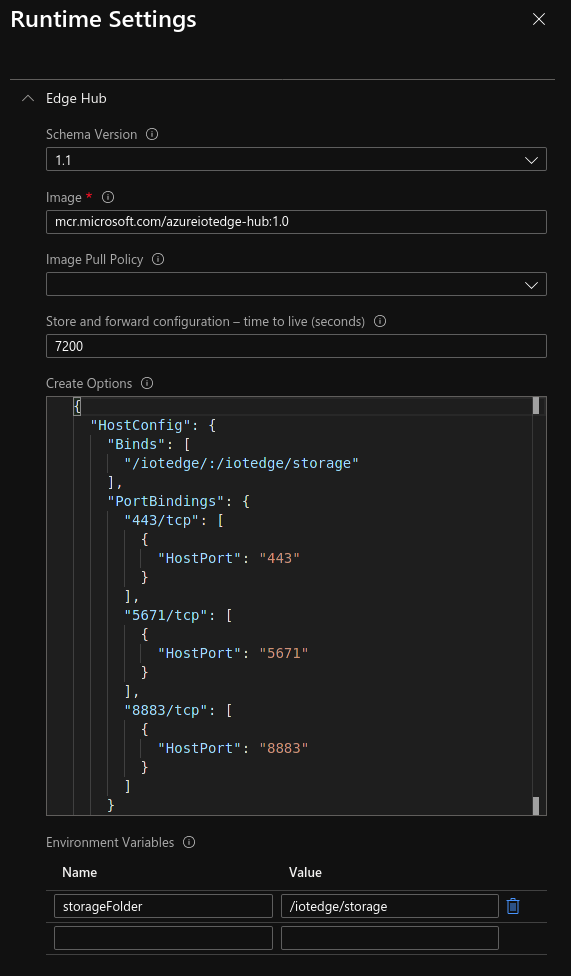
See more
For more information please check Microsoft Documentation available here: https://docs.microsoft.com/en-us/azure/iot-edge/how-to-access-host-storage-from-module?view=iotedge-2018-06#link-module-storage-to-device-storage
iotedge command
The iotedge tool is used to manage the IoT Edge runtime.
USAGE:
iotedge [OPTIONS] <SUBCOMMAND>
OPTIONS:
    -h, --help           Print help information
    -H, --host <HOST>    Daemon socket to connect to [env: IOTEDGE_HOST=] [default:unix:///var/run/iotedge/mgmt.sock]
    -V, --version        Print version information
SUBCOMMANDS:
    check             Check for common config and deployment issues
    check-list        List the checks that are run for 'iotedge check'
    help              Print this message or the help of the given subcommand(s)
    list              List modules
    logs              Fetch the logs of a module
    restart           Restart a module
    support-bundle    Bundles troubleshooting information
    version           Show the version information
iotedge check
Check for common config and deployment issues
USAGE:
iotedge check [OPTIONS]
OPTIONS:
    -c, --config-file <FILE>
            Sets daemon configuration file [default: /etc/iotedge/config.yaml]

        --container-engine-config-file <FILE>
            Sets the path of the container engine configuration file [default:/etc/docker/daemon.json]

        --diagnostics-image-name <IMAGE_NAME>
            Sets the name of the azureiotedge-diagnostics image. [default:mcr.microsoft.com/azureiotedge-diagnostics:1.1.13]

        --dont-run <DONT_RUN>...
            Space-separated list of check IDs. The checks listed here will not be run. See 'iotedge check-list' for details of all checks.
            [possible values: certificates-quickstart, config-yaml-well-formed, connect-management-uri, connection-string, container-connect-iothub-amqp, container-connect-iothub-https, container-connect-iothub-mqtt,             container-default-connect-iothub-amqp, container-default-connect-iothub-https, container-default-connect-iothub-mqtt, container-engine-dns, container-engine-ipv6, container-engine-logrotate, container-engine-uri, container-local-time, edge-agent-storage-mounted-from-host, edge-hub-storage-mounted-from-host, host-connect-dps-endpoint, host-connect-iothub-amqp, host-connect-iothub-https, host-connect-iothub-mqtt, host-local-time, hostname, identity-certificate-expiry, iotedged-version, windows-host-version]

        --expected-iotedged-version <VERSION>
            Sets the expected version of the iotedged binary. Defaults to the value contained in <http://aka.ms/latest-iotedge-stable>

    -h, --help
            Print help information

    -H, --host <HOST>
            Daemon socket to connect to [env: IOTEDGE_HOST=] [default:unix:///var/run/iotedge/mgmt.sock]

        --iotedged <PATH_TO_IOTEDGED>
            Sets the path of the iotedged binary. [default: /usr/bin/iotedged]

        --iothub-hostname <IOTHUB_HOSTNAME>
            Sets the hostname of the Azure IoT Hub that this device would connect to. If using manual provisioning, this does not need to be specified.

        --ntp-server <NTP_SERVER>
            Sets the NTP server to use when checking host local time. [default: pool.ntp.org:123]

    -o, --output <FORMAT>
            Output format. Note that JSON output contains some additional information like OS name, OS version, disk space, etc. [default: text] [possible values: json, text]

        --verbose
            Increases verbosity of output.

        --warnings-as-errors
            Treats warnings as errors. Thus 'iotedge check' will exit with non-zero code if it encounters warnings.
iotedge check-list
List the checks that are run for ‘iotedge check’
USAGE:
iotedge check-list [OPTIONS]
OPTIONS:
    -h, --help           Print help information
    -H, --host <HOST>    Daemon socket to connect to [env: IOTEDGE_HOST=] [default:unix:///var/run/iotedge/mgmt.sock]
iotedge list
List modules
USAGE:
iotedge list [OPTIONS]
OPTIONS:
    -h, --help           Print help information
    -H, --host <HOST>    Daemon socket to connect to [env: IOTEDGE_HOST=] [default:unix:///var/run/iotedge/mgmt.sock]
iotedge logs
Fetch the logs of a module
USAGE:
iotedge logs [OPTIONS] <MODULE>
ARGS:
<MODULE> Sets the module identity to get logs
OPTIONS:
    -f, --follow
            Follow output log

    -h, --help
            Print help information

    -H, --host <HOST>
            Daemon socket to connect to [env: IOTEDGE_HOST=] [default:unix:///var/run/iotedge/mgmt.sock]

        --since <DURATION or TIMESTAMP>
            Only return logs since this time, as a duration (1 day, 90 minutes, 2 days 3 hours 2 minutes), rfc3339 timestamp, or UNIX timestamp [default: "1 day"]

        --tail <NUM>
            Number of lines to show from the end of the log [default: all]

        --until <DURATION or TIMESTAMP>
            Only return logs up to this time, as a duration (1 day, 90 minutes, 2 days 3 hours 2 minutes), rfc3339 timestamp, or UNIX timestamp. For example, 0d would not truncate any logs, while 2h would return logs up to 2 hours ago
iotedge restart
Restart a module
USAGE:
iotedge restart [OPTIONS] <MODULE>
ARGS:
<MODULE> Sets the module identity to restart
OPTIONS:
    -h, --help           Print help information
    -H, --host <HOST>    Daemon socket to connect to [env: IOTEDGE_HOST=] [default:unix:///var/run/iotedge/mgmt.sock]
iotedge support-bundle
Bundles troubleshooting information
USAGE:
iotedge support-bundle [OPTIONS]
OPTIONS:
    -e, --include-edge-runtime-only
            Only include logs from Microsoft-owned Edge modules

    -h, --help
            Print help information

    -H, --host <HOST>
            Daemon socket to connect to [env: IOTEDGE_HOST=] [default:unix:///var/run/iotedge/mgmt.sock]

        --iothub-hostname <IOTHUB_HOSTNAME>
            Sets the hostname of the Azure IoT Hub that this device would connect to. If usingmanual provisioning, this does not need to be specified.

    -o, --output <FILENAME>
            Location to output file. Use - for stdout [default: support_bundle.zip]

    -q, --quiet
            Suppress status output

        --since <DURATION or TIMESTAMP>
            Only return logs since this time, as a duration (1d, 90m, 2h30m), rfc3339 timestamp, or UNIX timestamp [default: "1 day"]

        --until <DURATION or TIMESTAMP>
            Only return logs up to this time, as a duration (1 day, 90 minutes, 2 days 3 hours 2 minutes), rfc3339 timestamp, or UNIX timestamp. For example, 0d would not truncate any logs, while 2h would return logs up to 2 hours ago
iotedge version
Show the version information
USAGE:
iotedge version [OPTIONS]
OPTIONS:
    -h, --help           Print help information
    -H, --host <HOST>    Daemon socket to connect to [env: IOTEDGE_HOST=] [default:unix:///var/run/iotedge/mgmt.sock]